You leave for a week, and behind the washer a supply hose starts to weep onto the strip of floor where nothing is watching it. The best water leak detector for home use is not the one with the loudest siren on the box, since a siren in an empty house sounds for nobody: it is the one whose alert reaches your phone, and whose app tells you the day the sensor itself goes quiet. A sensor reports only the water that touches its probes, so the real buying question is the path the alert takes and how long the house takes to find out the sensor stopped working. The five picks below are sorted by kind of house, then judged against an empty one: the router down, a battery dead, a probe sitting too high, a network that drifts, and the leak inside a wall that none of them can see.
Buy the sensor whose alert reaches your phone while nobody is home and whose app reports when the sensor itself stops reporting. On Wirecutter’s bench, in one 700 square foot house, a hub was reported offline in about 3 minutes, while a sensor with its batteries pulled took from 36 minutes (one D-Link pod) to 12 hours (one YoLink sensor).
| Model | Kind | How the alert gets out | Probes | Its flaw |
|---|---|---|---|---|
| SwitchBot WiFi Water Sensor | Hub-free | Joins home 2.4 GHz Wi-Fi, app alert, 100 dB alarm | Four, top and bottom | Bulky; no temperature reading |
| Kidde WiFi Water Leak Detector & Freeze Alarm | Hub-free, budget | Home Wi-Fi to the app; loudest alarm Wirecutter tested | Two | Thin smart-home support; limited stock |
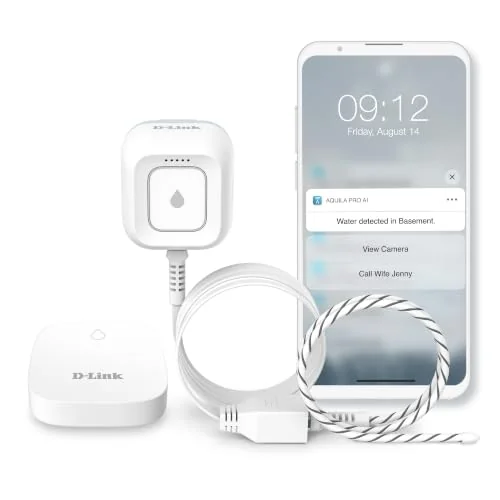
| D-Link Starter Kit (SW-A11KT) | Plug-in unit and cable | Siren works with no internet; phone alert needs it | 1.5 ft cable plus a pod with four bottom probes | Stiff cable; needs an outlet; Google Home and IFTTT only |
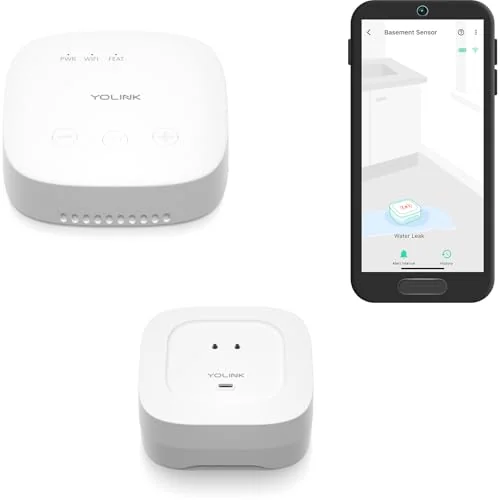
| YoLink Water Leak Sensor 4 with SpeakerHub | Hub kit (LoRa) | Hub links to the sensor by LoRa, to your router by 2.4 GHz Wi-Fi | Drip cup on top, pool probes below | A second device to keep online; one sensor took 12 hours to be reported offline |
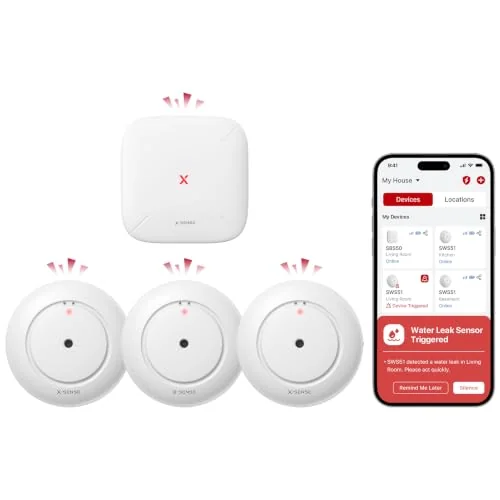
| X-Sense SWS54 Kit | Base station, three sensors | Base on 2.4 GHz Wi-Fi only | Two drip, four pool, on each sensor | No tested flaw list to read; range figure is the maker’s |
Pick the Water Leak Detector by Kind of House
The table sorts five models into three kinds of house, and which one you live in settles more than any spec on the box. A hub-free sensor joins your Wi-Fi and needs nothing else.
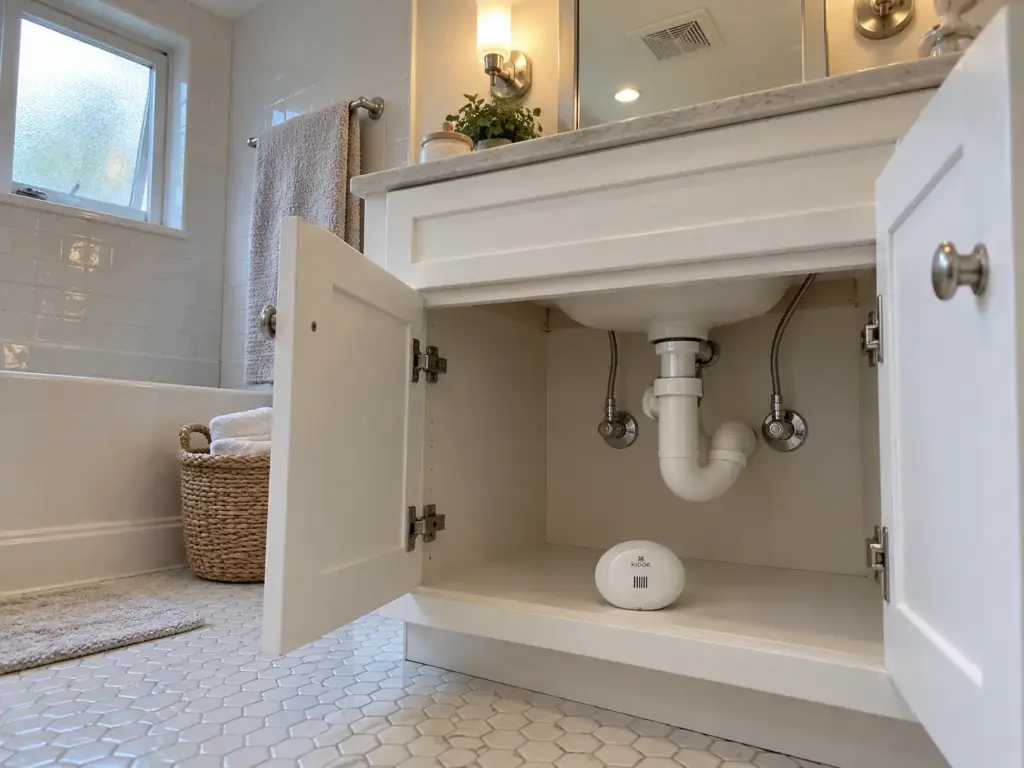
A hub kit adds a second device that has to stay powered and online, and a cable covers a run of floor that a puck would sit beside.
Underneath sits one question: are you watching one spot or six? The cost question has its own page on whether a leak detector is worth buying at all; this one assumes you have decided and want to choose.
Before You Buy: The Free Checks
Start with what costs nothing. Find the main shutoff valve and make sure everyone who stays in the house knows where it is, then look under every sink and behind the washer, the dishwasher and the water heater with a flashlight. A cabinet floor with a water ring on it, or a hose fitting with a crust of mineral around the nut, tells you where the first sensor goes before any device arrives. The same look, repeated monthly, catches the slow drip that no puck has reached yet.
Then run the meter test. With every tap and appliance off, a water meter that keeps moving points to a leak somewhere, and the meter test that finds a leak first walks through it before a sensor enters the picture. A sensor reports the water that reaches it; the meter reports water leaving the pipes, wherever it ends up, and a sump pump pit or a condensate overflow pan are the other spots worth a look. That difference is why the meter comes before the purchase.
Photograph the main shutoff valve and keep the picture wherever you keep the sensor app’s login. Whoever answers an alert, a neighbor with a spare key included, then knows which handle to turn without calling you.
Hub-Free Sensors for a Rental or a One-Floor Home
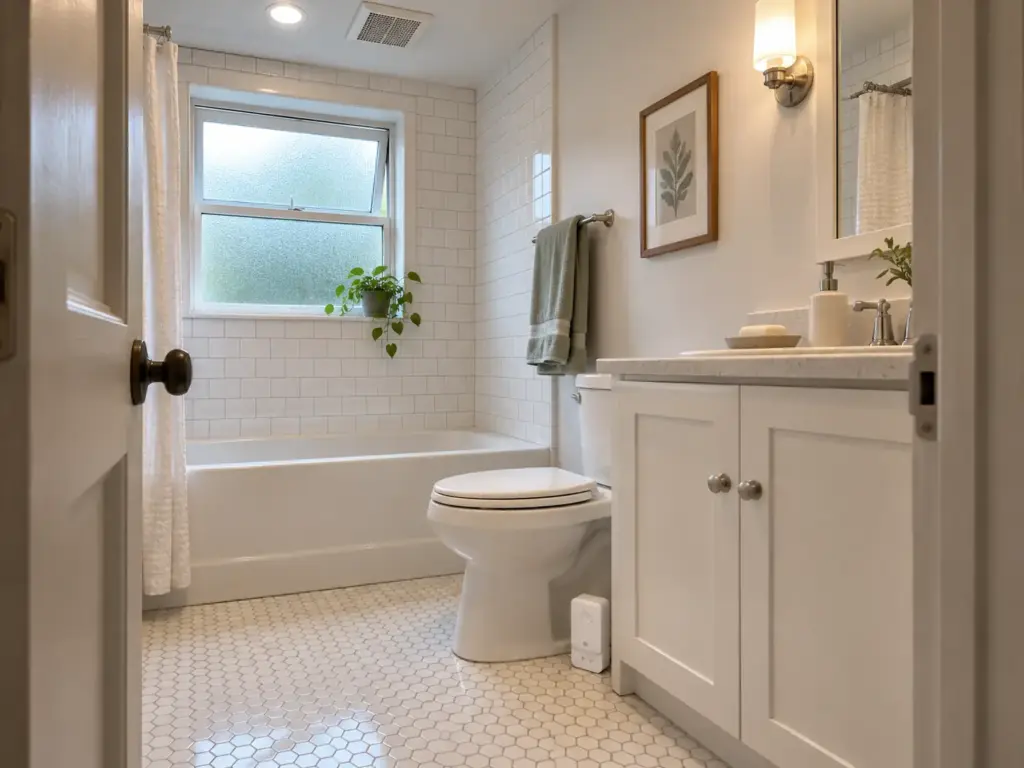
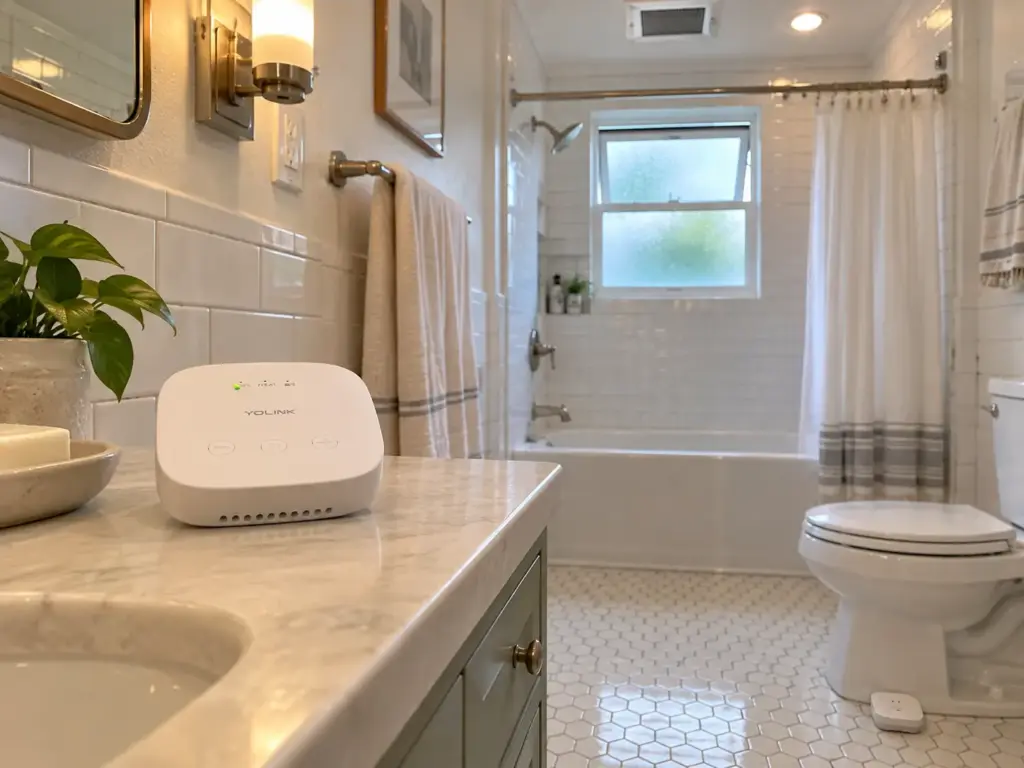
A renter in an apartment with one bathroom and a landlord who is a phone call away has a short list of places water can come from, and needs a short list of devices to match. A hub-free leak detector is built for that house: it joins the home Wi-Fi directly, so there is nothing to plug in and no hub to keep within range. For a reader who will be far from home, the phone alert is the whole product.
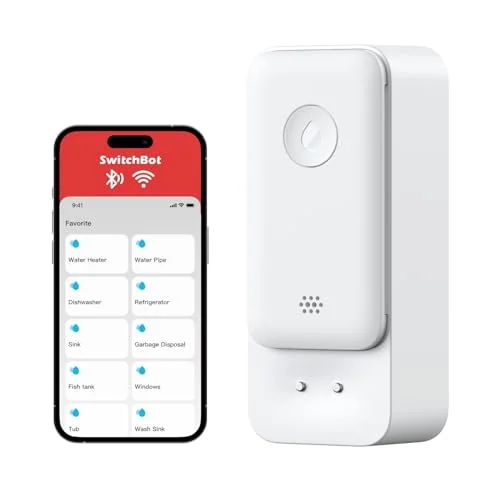
The SwitchBot WiFi Water Sensor is the hub-free pick. Its listing says it runs on 2.4 GHz Wi-Fi with Bluetooth as a backup, has four probes top and bottom that detect water as shallow as 0.5 mm, sounds at 100 dB and takes two AAA batteries rated for up to two years; CNET lists Alexa, Google Home and Siri support and a 390 ft range figure. Its drawbacks are small, and CNET states the first plainly: “It’s a little bulky compared to some sensors, but that isn’t usually an issue for leak detectors.” The second is who should look elsewhere: CNET sends a buyer who wants temperature detection or wider compatibility to a different model.
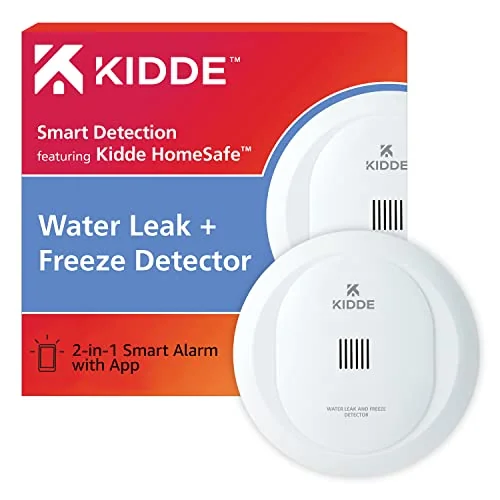
The Kidde WiFi Water Leak Detector & Freeze Alarm is the budget unit, and it is hub-free too. Wirecutter says it has the loudest alarm of the models it tested and needs no extra hardware, and its limits come in the same review: “Its smart-home support is barebones, and it has only two sensor probes” is the line. Two probes against the SwitchBot’s four is the spec to weigh against that loud alarm. The listing is low on stock at the moment, so check availability before planning a purchase around it.
When a Hub Kit or a Cable Earns Its Place
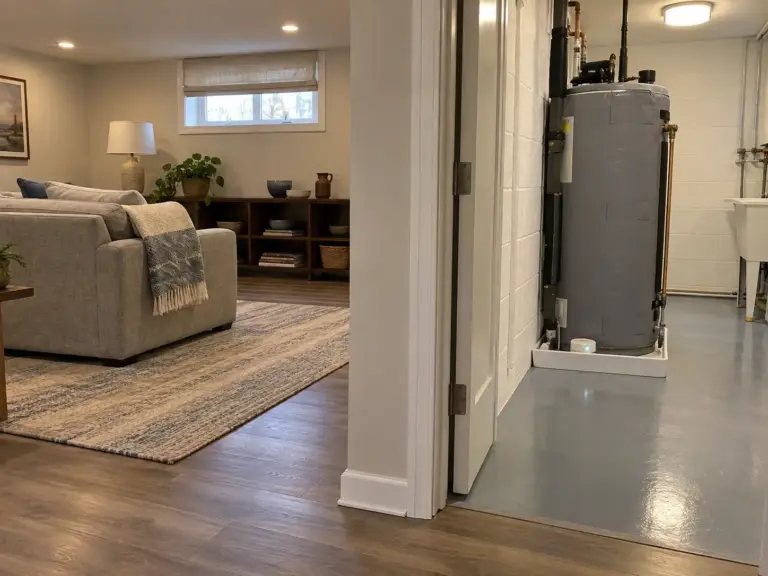
The owner with a basement, a water heater and a second floor is a different buyer. A hub kit gives that house a siren in one place, a radio link to sensors in others and a range that home Wi-Fi may not cover; it also gives it a second device that must stay plugged in and online, which is one more thing to fail.
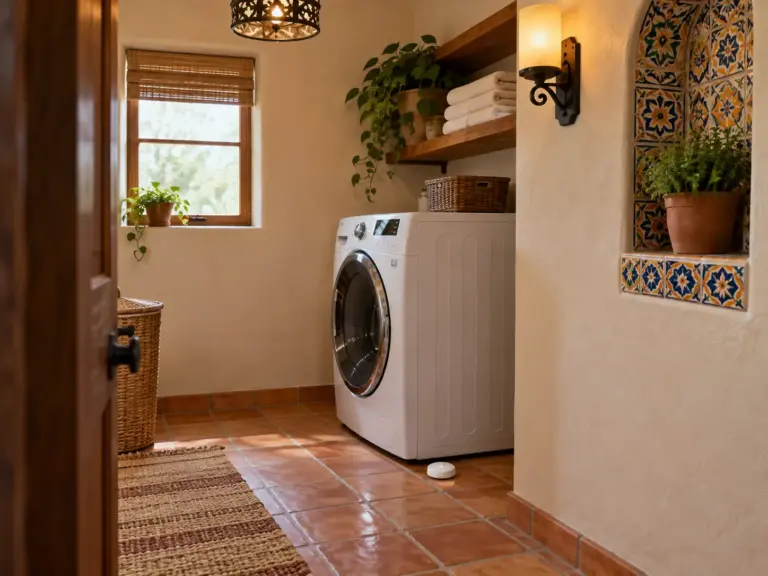
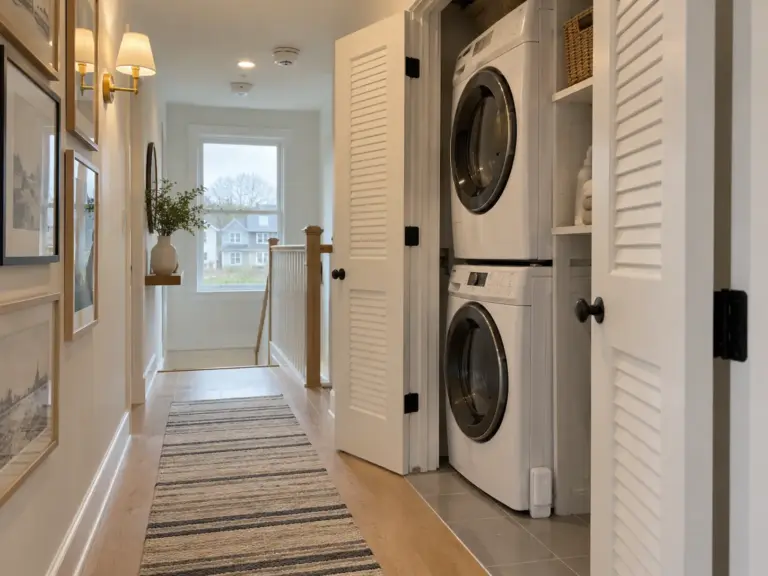
A cable earns its place where the water could start anywhere along a run: behind a washer for a washing machine leak, along the foot of a vanity for an under sink leak, around a water heater for a water heater leak. The D-Link below is the cable, the YoLink the long-range hub and the X-Sense the three-sensor base. Whichever you choose, I would still set the first sensor under the likeliest source, because the likeliest source does not change with the kit.
What a Water Leak Detector Does When Nobody Is Home
Every model here sounds in a house with someone in it. The buying question is the empty house, with the router down or a battery dead, because that is where a sensor that reports and a sensor that only exists part ways. Three things decide it: the path the alert takes, how long a silent failure stays silent, and the one habit that checks both before you leave.
Where the Alert Goes When the Router Is Down
A siren and a phone alert are two different jobs, and they do not fail together. Wirecutter’s privacy notes on the D-Link kit say it exactly: “No internet service is required to get audible alerts, though an internet connection is needed for app alerts.” With someone home that is a footnote.
In an empty house the siren sounds for the walls and the phone message never leaves. On the same bench the D-Link siren came first on response time, in under 1 second, and the push notification followed 3 to 5 seconds later; the YoLink alarm and its notification both arrived in about 1 second.
That is the shape of every Wi-Fi sensor: water touches the probes, the sensor talks to the router, the router to the internet, the internet to the phone in your pocket. A hub kit adds a link in the middle. Each link is a place the alert can stop, and a box that promises phone alerts says nothing about the day the router is unplugged.
The failure this page is built around is a leak that a sensor was watching but that nobody hears, because the sensor is not connected. A cheap sensor with a built-in buzzer covers that case, since it still sounds when the whole automation system is offline. The usual advice, buy the loudest siren, has a hole in it for this reason: a siren needs a listener and a phone alert needs a connection, so a sensor that offers both covers two different empty-house failures, and one that offers only the phone covers one.
How Long a Dead Sensor Stays Quiet
A dead sensor is a silent sensor, and the only thing that can say so is the app. Until the app sends an offline notice, nothing on the phone separates a sensor that is watching the floor from one whose batteries gave out hours ago, which is why the length of that delay is worth more to a buyer than the battery label.
Wirecutter timed it on its bench, in one 700 square foot, one-story house. The D-Link hub was reported offline about 3 minutes after it was unplugged, and the YoLink hub took about the same. Batteries were another matter: the D-Link pod took 36 minutes to be reported offline after its batteries came out, and of the YoLink sensor the tester wrote, “But when I removed the sensor’s battery, it took a full 12 hours for the YoLink app to send an offline notification.” Hub and sensor are timed separately, which means the app watches the hub closely and the sensor loosely.
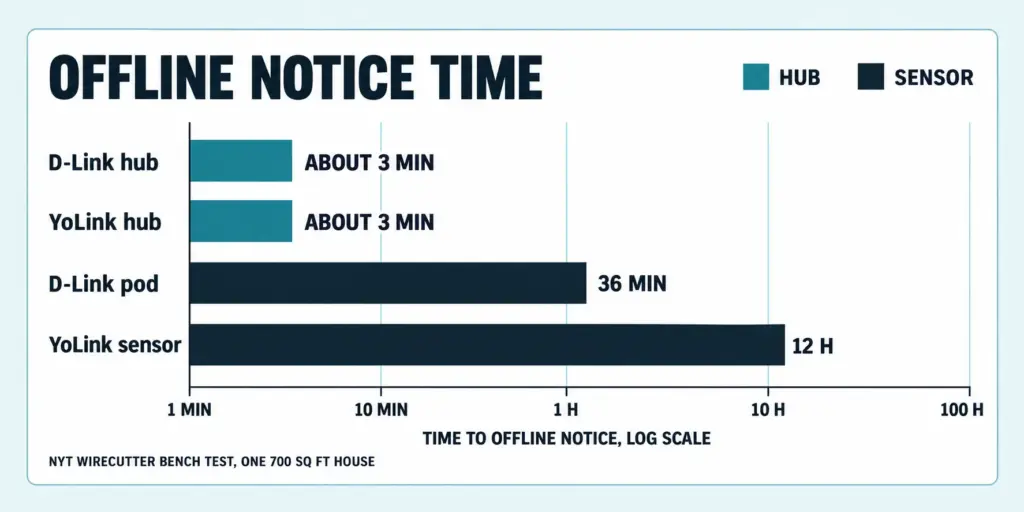
Read those numbers as one bench, not a law: one house, one unit of each brand, two brands. They say nothing either way about the SwitchBot, the Kidde or the X-Sense with a pulled battery. No public standard sets how fast an app must report a dead sensor, so the gap between 3 minutes and 12 hours is a comparison and not a pass or a fail. What a buyer can do with it is concrete: look at what the app says about each device, hub and sensor, and keep the battery date on a calendar instead of in the app’s hands.
Rename every sensor in its app after the spot it watches, “washer pan” instead of “sensor 3”. When an offline notice finally comes, the name tells you which room to walk to first.
Check That It Still Reports Before You Leave
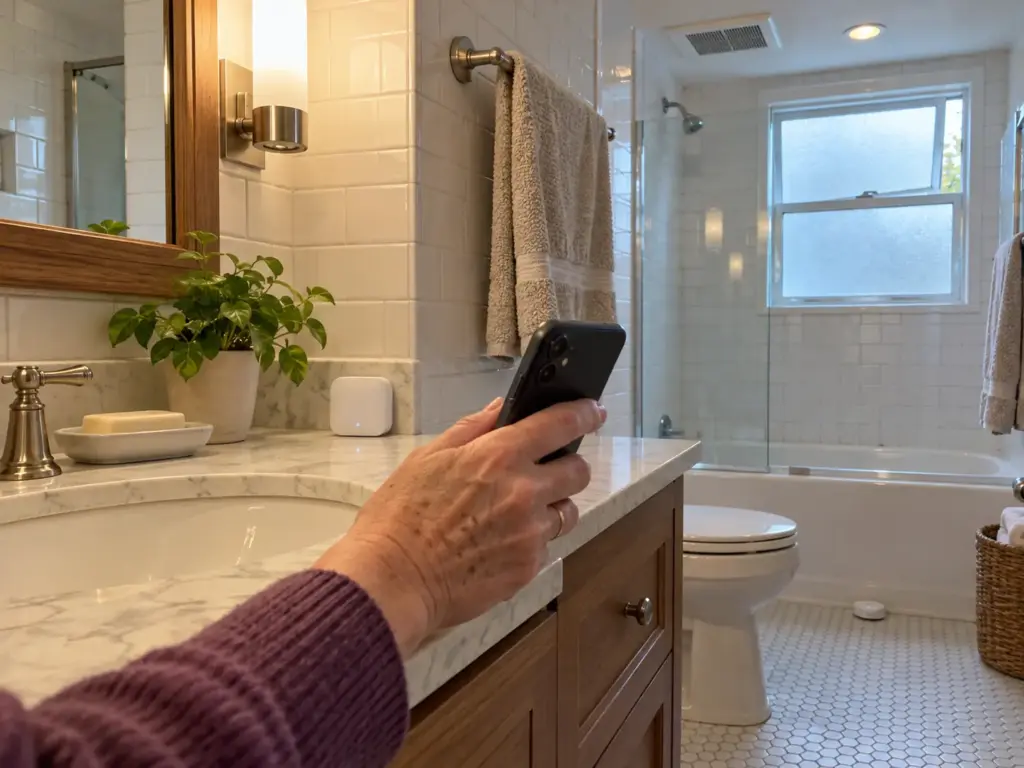
Before a trip, wet a fingertip and touch the probes. Watch the phone: the siren should sound first and the alert should follow within seconds, the same order the D-Link kept on the bench. Do it once with the phone on cellular data instead of the home Wi-Fi, because that is the path the alert takes when you are away. Then open the app and read the status of every device, the hub and each sensor, and swap any battery whose date has come up.
It is the cheapest test in this article and the only one that checks your own router. Once a sensor reports, the next question is where each sensor should sit.
Probe Type and Freeze Alerts: What the Sensor Can Actually Feel
Reporting is not enough, because the sensor still has to get wet to report. “Detectors trigger only if water touches them.” is Wirecutter’s rule in one line. The question here is what each kind of probe touches and what it misses: a puck on the floor, a cable along the wall or a cup on top.
A Puck on the Floor Versus a Cable Along the Wall
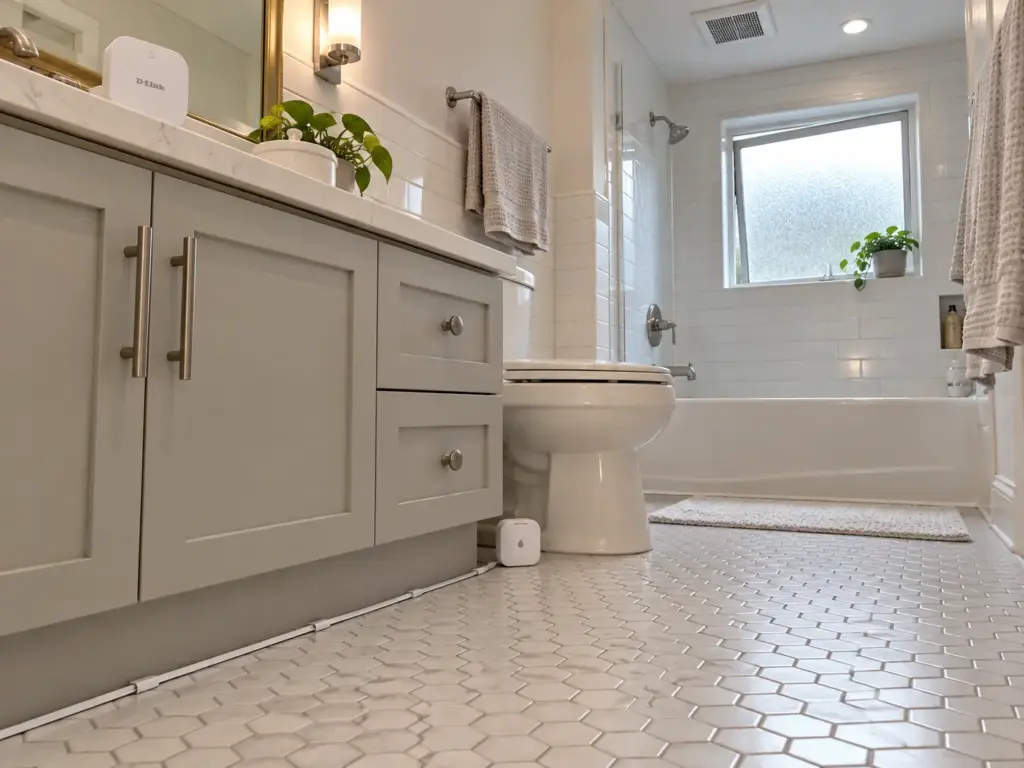
A puck senses the puddle that reaches the probes on its underside, four of them on the D-Link pod. A cable leak sensor reads water at any point along its length, which turns one spot into a line, and an extension cable lengthens the run. The D-Link’s cable runs 1.5 ft and comes with a 3 ft extension, so about 4.5 ft of baseboard, the run behind a washer or the foot of a vanity, where a puck would sit beside the water without touching it.
A cable only works along the line it lies on, and one that arrives stiff and coiled will not lie flat along a baseboard. Wirecutter’s complaint is that “Out of the box, the leak-sensing cable is stiff and tends to coil up”. The physics of the contact has a page of its own, how a leak detector’s probes sense water.
The D-Link WiFi Water Leak Detector Starter Kit (SW-A11KT) is the cable pick, and its limits come in three. The cable is stiff, as above. The plug-in hub “Requires a well-positioned wall outlet” in CNET’s words, so the sensors work around where an outlet happens to be.
And “The kit offers only basic smart-home coverage.” That is Wirecutter’s wording for Google Home and IFTTT as the only platforms, so a house that runs on Alexa or Apple Home should look elsewhere.
Drips From Above, Puddles Below
Water does not always arrive as a puddle, and dripping water from a joint can reach a shelf long before it reaches the floor. A joint can drip onto a shelf or the top of an appliance long before anything pools on the floor, and a puck waits for the floor. The YoLink sensor has a cup on top for drips and probes underneath for pooling water (Wirecutter). The X-Sense lists two drip probes from above and four pool probes from below on each sensor, and the SwitchBot lists four probes, top and bottom, that detect water as shallow as 0.5 mm; both are listing claims, not measurements.
On a cabinet floor the first water is often a film, not a puddle, and a few millimeters of film is where a shallow-detection spec earns its place. But a spec like that says what the probes can sense, not where the sensor sits, and a cup on top does nothing for a joint that drips onto the floor beside it.
A Freeze Reading Warns, It Does Not Shut Anything Off
Winter adds a second question, and it matters most in a vacation home or any second home that sits cold, where freezing pipes are the risk. The YoLink sensor doubles as a temperature sensor and warns of freezing (Wirecutter), and the Kidde lists freeze detection. Water freezes at 32°F (0°C), and a crawlspace or an unheated garage can sit below that while the rest of the house is warm. The Kidde listing does not print the temperature its alert fires at, so read the manual before you count on it for a pipe in a crawlspace.
And a freeze reading is only a warning. Nothing shuts off, and the message travels the same path as a leak alert, with the same router in the middle. Ingress ratings, where they exist, are the maker’s: IP65 for the D-Link pod, IP66 for the YoLink sensor (the listing’s bullet says IP66 and its title says IP67; this article prints the bullet) and IP67 for the SwitchBot. They describe how the housing resists water, not how long it works while sitting in it.
Battery Life, Range and Alarm Loudness: Rated Against Measured
Every box prints three numbers: years of battery, feet of range and decibels of alarm. Only some were ever measured. Wirecutter’s bench measured offline timing, decibels and one real range; the rest of what follows is a maker’s rating, labeled as that.
Battery: Rated Years, Not Tested Years
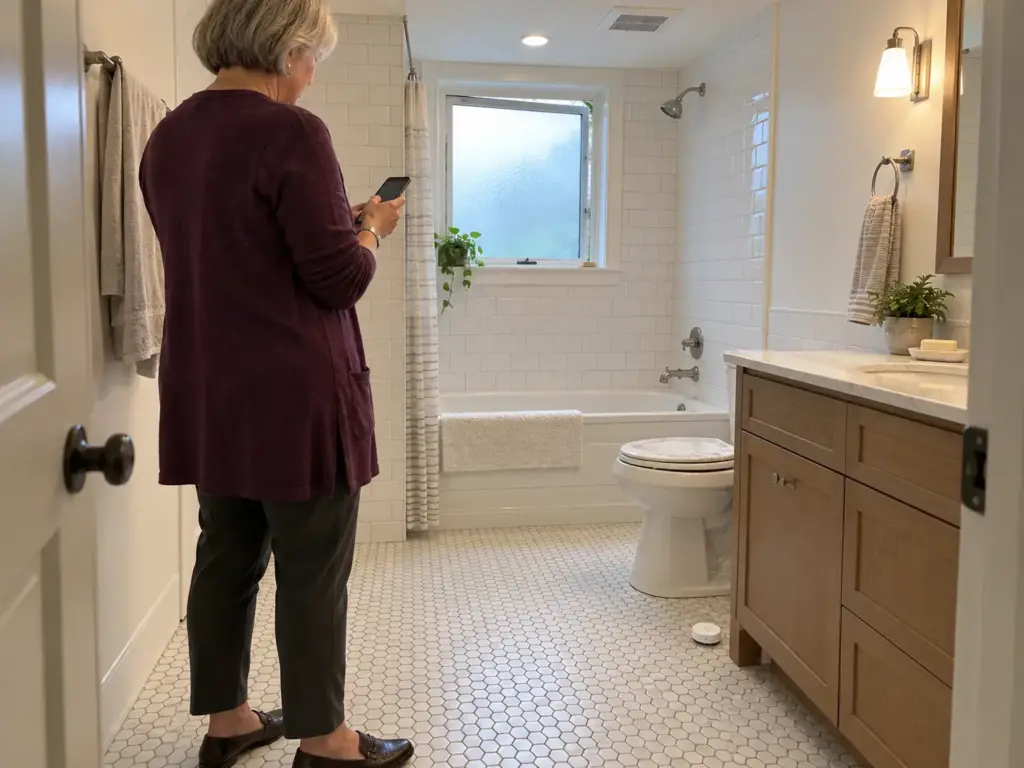
The D-Link pod takes two AAA batteries that D-Link says should last up to two years. The SwitchBot takes two AAA rated for up to two years, and the YoLink listing claims up to five. The X-Sense uses three AAA per sensor and the Kidde two AA. None of those lives was tested: Wirecutter timed how long an app took to notice a dead battery, not how long a battery lasted.
The five-year label looks like the safe pick, but it is a promise nobody timed, and the early warning counts for more than the long life. The SwitchBot’s app sends a low-battery notice (listing), which is a better way to learn a battery is dying than learning it died. Replacement dates belong on a calendar, set before the rated life runs out.
Write the install date on the back of each sensor and set the calendar reminder at 18 months for a two-year rating. A battery changed on your schedule never gets the chance to die quietly.
Range: Open Air Is Not Your House
The D-Link pod works within 300 ft of its hub, up to 1,000 ft in open space, per the maker and Wirecutter. The YoLink advertises a quarter mile; Wirecutter tested 125 ft to a detached garage and rated its range the best of the sensors it tested, while the listing says up to 2,034 ft. CNET gives the SwitchBot 390 ft, and the X-Sense listing claims 1,804 ft, a figure no test read for this article measured. Wirecutter’s house was one story and 700 square feet, so open air and a straight line are what those feet describe.
For a hub-free Wi-Fi sensor the range that matters is your router’s, and for a hub kit it is the hub’s, through your own walls. Stand where the sensor will sit and read the router’s signal on a phone at that exact spot, behind the washer, not beside the router. A sensor that cannot hold a link at that spot is the dropout the next section is about, arriving early.
Alarm Loudness: Behind a Door It Is a Different Number
Wirecutter’s meter put the D-Link plug-in unit at about 73 dB at 10 ft, 66 dB at 20 ft and 49 dB behind a closed door, about as loud as moderate rain. The YoLink sensor is rated at 105 dB and measured 74 dB at 10 ft. The SpeakerHub reaches about 66 dB from 6 ft and is quieter than the sensor. The Kidde has the loudest alarm of the models tested, with no number printed, and the X-Sense listing claims 120 dB for the base and sensors together.
A rated 100 dB is the peak at the source, not what reaches the next room. If the laundry closet is on the floor below your bedroom, the siren is for the closet and the phone is for you. No public standard sets a required loudness for these devices, so each figure is a maker’s rating or one bench result.
The Network That Drops After Month One
The evidence for it is thin, so it is a pattern to watch for and not a verdict on any of these five. It belongs in a buying guide because it is the one failure a sensor cannot report itself: a sensor that cannot reach its network cannot tell you so.
What the Month-Two Reports Say
One Aqara sensor is reported to drop off the ZigBee network frequently, and it will not switch to another router if the one it was paired with is down. In another setup of ten sensors, they all went offline several times a day, and the hub also dropped out of HomeKit and came back within two minutes, short enough that the app never noticed.
A workaround some owners use is pinging the camera hub at least once every 15 seconds. It is a fix for one setup, and it is not one to copy.
Two installations is thin evidence, and the sensor named is not among the five picks here. What carries over is the shape of the failure, not the brand: a sensor that depends on a link it cannot repair by itself, reporting nothing while the link is down. The reports start in the weeks after setup, not on the first night, when everything sits a few feet from the router.
Why a Hub Kit Helps and Why It Is One More Thing to Watch
A hub kit changes where the weak link sits. The YoLink SpeakerHub talks to its sensors over LoRa, a long-range radio link, and reaches your router over 2.4 GHz Wi-Fi for the app. Wirecutter rates its range the best of those it tested and measured 125 ft to a detached garage; the advertised figure is a quarter mile. The X-Sense base is the hub for three sensors and takes 2.4 GHz Wi-Fi only, with 5 GHz not supported.
Longer range is the obvious reason to choose a hub kit, and in a house with a detached garage or a long basement it is the right reason.
In a one-floor rental the same hub is a second device to lose track of, and the hub-free sensor is the better call. What a hub does not do is remove the failure; it moves it.
A hub gets unplugged to charge a phone, a router is replaced, a mesh network is reshuffled, a network moves to 5 GHz only, a battery is pulled. Any of those leaves a sensor in the basement doing its job and telling nobody. Wirecutter’s clock is the reason to read the status of both devices, because the app watches them on different schedules: about 3 minutes for a hub, up to 12 hours for one sensor.
The YoLink Water Leak Sensor 4 kit with SpeakerHub is the hub kit with the longest tested range, and its flaws are on the record.
“You need to buy a hub.” is Wirecutter’s line for the sensor, which is not a standalone Wi-Fi unit; this kit puts the SpeakerHub in the box, but it remains a second device. Its alarm is the quieter one: “The SpeakerHub isn’t as loud as the sensor alarm, and silencing it isn’t intuitive.” And the clock above applies, since that is the sensor that took 12 hours to be reported offline.
The X-Sense SWS54 is the base-station alternative: a base that acts as the hub for three sensors, each with drip and pool probes. No tested flaw list is open to read for this kit. Wirecutter and CNET did not test it, and Consumer Reports’ test of it sits behind a membership wall. What the listing does show is a pair of limits: 2.4 GHz Wi-Fi only, and a 1,804 ft range that is the maker’s figure and not a measurement.
Wi-Fi Only at 2.4 GHz: Check Before You Pair
Three of the five picks name 2.4 GHz: the SwitchBot’s listing says it, the YoLink SpeakerHub uses it for the app and the X-Sense says 5 GHz is not supported. That makes the band the first thing to check before pairing, not after the setup screen fails. Find which band your router’s network uses and read its signal at the spot where the sensor will sit. If the only network on offer is 5 GHz, the sensor will not take it.
Treat a new router, a mesh upgrade or a renamed Wi-Fi network as a reason to repeat the fingertip test on every sensor and to re-pair any that fails it. The device that paired with the old network is the likeliest one to be left behind.
The Leak No Sensor Sees, and the Next Decision
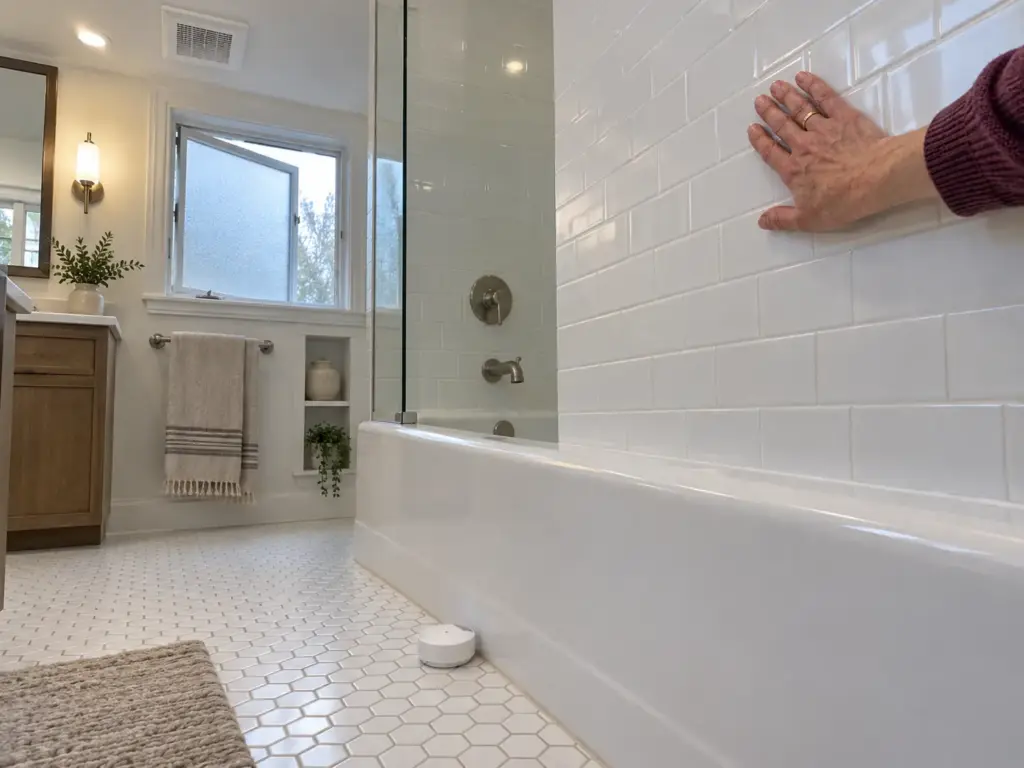
Everything above assumes the water reaches the sensor. The leak that matters most may sit inside a wall, behind a cabinet or under a slab, where no floor sensor will ever touch it, and a sensor that sees nothing is not the same as a house with nothing to see.
An Alarm Is Not Prevention
“One thing that leak detectors can’t do is actually prevent water damage” is how Wirecutter puts it, and a detector is an alarm in the way a smoke alarm is: it tells you where to run. The stronger device is a smart shutoff valve, which closes the supply by itself, and Wirecutter says it usually needs an owned home. For a renter the sensor and a known shutoff valve are the whole system. For an owner the valve is the next purchase after the sensor, not a replacement for it.
A Leak Inside a Wall or Under a Slab
A puck on the floor never sees a supply line that wets the wall behind a cabinet, and it never sees a slab leak. Those leaks run while the floor above stays dry. The EPA’s numbers give the scale: the EPA’s Fix a Leak Week page says that “Household leaks can waste nearly 1 trillion gallons of water annually nationwide” and that the average household’s leaks can account for more than 9,300 gallons of water wasted every year. That average includes leaks a sensor would catch and leaks it cannot, and a puck on the floor only counts the water that arrives.
When the sensor says nothing and something still looks wrong, the order of the next steps is the meter, then the shutoff valve, then a plumber. The meter test and the room check cover the first of those, and the plumber’s tools belong to that page too. If a leak did reach a wall, the clock that matters is the drying window, and how fast mold can start on a wall after a leak covers it. That is a building question, a wall and its moisture; what mold does to a person is a doctor’s question.
Water Sensor, Humidity Sensor: Not the Same Device
A humidity sensor reads the air and a leak sensor reads water, and one does not stand in for the other. A pipe leaking inside a wall cavity wets a small area first, and the number on a room monitor can sit still while the framing stays wet: a stained ceiling below a dry floor above, and a meter that never flinched. The monitor still has a job, for a different question. A basement humidity sensor for cold concrete walls reads the air along a wall, and what makes a basement damp sorts a leak from condensation, which is worth knowing before you blame a pipe.
Pick for the Empty House, Then Check the Silence
Three things decide the purchase, and none of them is on the front of the box.
- Pick by what the alert does with nobody home: a siren needs a listener, a phone alert needs a connection, and the sensor you want tells the app when it has gone quiet.
- Read the status of both devices, the hub and each sensor, and not only the message on the phone; on Wirecutter’s bench one brand’s sensor was noticed missing in 36 minutes and another’s in 12 hours.
- A sensor sees only the water that reaches it, so the shutoff valve and the meter test come next.
A month after setup, and after any router change, open each device’s status in the app and touch the probes again, since the battery and the network are the two things in this setup that wear down without a sound.
Tomorrow, find the main shutoff valve and look under every sink. Once a sensor is down, wet a fingertip, touch its probes and watch for the phone to answer: that reading is the one worth taking.
Frequently Asked Questions
01What is the best device to detect water leaks at home?
The best device is a Wi-Fi sensor on the floor under the likeliest source, with an app that reports when the sensor itself goes quiet. Choose a cable for a run along a wall, such as behind a washer, and a puck for a single spot under a sink.
02What is the best residential leak detection system?
For most homes the best system is a set of sensors where leaks start, because sensors only raise the alarm while a smart shutoff valve is the part that stops the water. In a rental, sensors plus a known main valve are the whole system.
03Do water leak detectors work without Wi-Fi?
Only the siren works without Wi-Fi; the phone alert needs the internet, as Wirecutter noted for the D-Link kit.
04What do plumbers use to detect water leaks?
Plumbers start from the water meter and a pressure test, not a floor sensor, because the meter shows water leaving the pipes wherever it ends up. The meter test comes first, and the steps above cover it.
05Is a water leak detector worth it?
It depends on how long the house stands empty and what sits below the likeliest source: a week away over a finished basement changes the answer more than any spec does. The cost side of that question is argued on its own page, linked at the top of this guide.