

You step down into the basement and the air is cooler and heavier than it was upstairs, the dehumidifier is humming against the far wall, and the little sensor you pressed onto the block reads a number that does not match the room. The sensor is not misbehaving. It reports the air touching it, and the air against a cold concrete wall is not the air in the middle of the floor, any more than the air at a dehumidifier’s outlet is. This guide to the best basement humidity sensor covers where the sensor goes, whether the wall itself is the source of the water, which sensors reach through block, how to tell a true reading from a flattering one, and the one reading that decides whether the dehumidifier runs.
Four checks sort every basement sensor before a brand comes into it, and the table lays out what each one asks of the unit and of you.
| What to check | What a basement does to it | What passes |
|---|---|---|
| Where it sits | A block wall is colder than the room and a dehumidifier outlet is drier than it, so each reports its own corner | A shelf in the middle of the room, off the wall, clear of the outlet and the water heater |
| Whether it can be checked | A listing’s plus or minus 2% RH is the maker’s claim, and no source for this guide tested a unit against a reference | A second display beside it, or an offset you can set in the app |
| Whether the signal reaches | Bluetooth is rated for line of sight, and block or poured concrete is not line of sight | A gateway or hub placed where the sensor has signal, or a display with no radio at all |
| What it shows | One glance misses what the room does between visits | The last 24 hours’ low and high, held against 50 and 60 percent |
Put the Basement Humidity Sensor in the Room’s Air, Not the Wall’s
Placement is free, and it settles more than any line printed on the box. The same sensor reports two different basements depending on whether it hangs on the block or stands on a shelf in the middle of the floor. Every later choice here, the radio, the display and the alert, only matters once the unit is reading the right air.
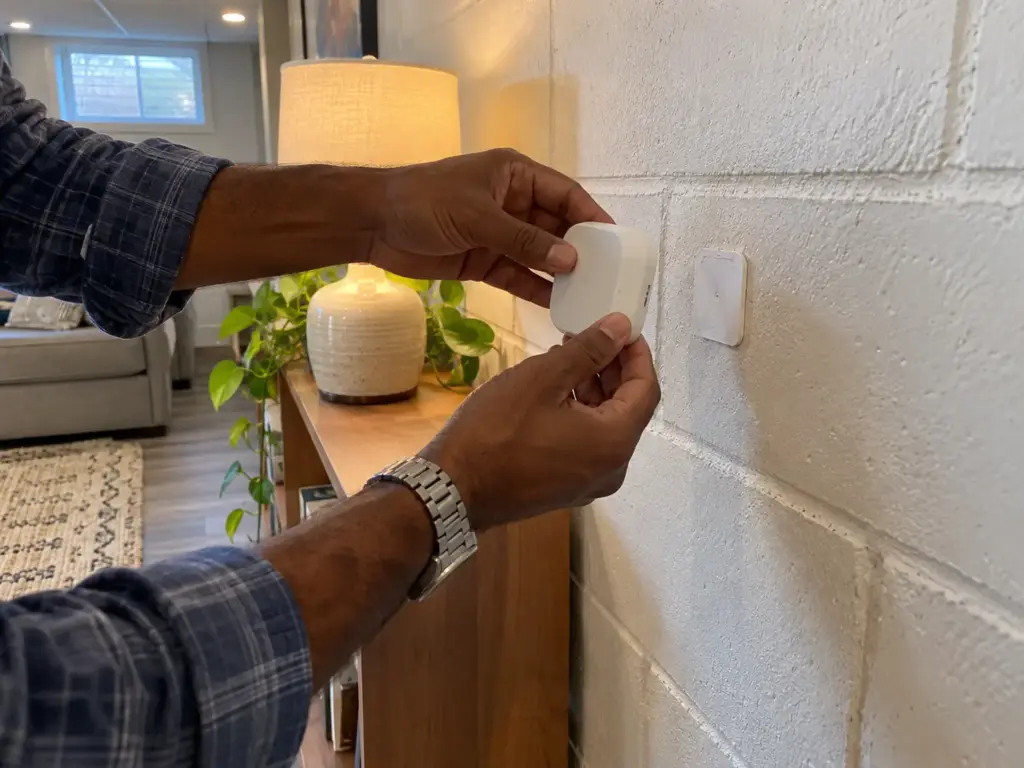
Why a cold wall reads wetter than the room
Relative humidity is the share of the water the air could hold at its current temperature, and cold air holds less. Air that settles against a block wall cools a little, so the same water in it reads as a higher percentage there than it does in the middle of the room. Where the wall is colder than the dew point of the air touching it, the water stops being a number and turns into droplets on the surface.
The University of Minnesota Extension describes the summer version: when outside air is warm and humid and gets into the basement, it condenses on the cool walls and floor. A sensor stuck to that surface reports the surface’s neighborhood, which is colder and wetter than the room, and its number follows the wall’s temperature more than anything you do to the air. It is a true reading of a spot nobody lives in.
A unit that logs dew point shows this cleanly, because in principle the wall spot and a shelf in the room should agree on how much water is in the air while disagreeing on the percentage. Most basement displays give only the percentage, so the working test with a basement hygrometer is simpler. Move the sensor and watch what the line does.
The dehumidifier’s outlet and the water heater skew it the other way
Put the same sensor beside the dehumidifier’s outlet and the error flips. The machine blows out air it has just dried, and a water heater or a furnace nearby warms its corner, so the unit reads a drier room than the one the household actually sits in. It looks like proof that the machine works.
Built-in humidistats are not very precise, and a dehumidifier’s own sensor can read well off the real room value, especially when it sits where the airflow is poor. The mechanism fits: a built-in humidistat reads the air at the machine, not the air in the whole room. On cheaper units the humidity setting can be unreliable, so some owners run the unit on a timer and check the room with a separate sensor placed elsewhere in the basement.
The result is a disagreement you can read for yourself: the dehumidifier’s display says one number, the sensor on the shelf says another, and the machine’s number is the one to distrust. That is why the dehumidifier’s own setting never ends the question.
What to do with the disagreement matters, because the temptation is to fix both at once. Leave the machine’s setting alone for a day and write down the two numbers side by side. Then lower the setting by one step, wait, and read the shelf again. If the shelf moved, the machine was holding the room above where its own display claimed, and you know the size of the gap; if it did not move, the sensor has just told you the machine was already running as hard as it can.
A shelf in the middle of the room, and the second look
The spot is a shelf or a table in the middle of the room, off every wall, clear of the outlet, the water heater and the furnace, at a height where the air actually moves. The corner behind the stairs is the opposite of that: it is where the air sits. Give the unit time to settle before you read anything into it, because a unit fresh off the delivery truck needs time to acclimate to its new room, and one carried down from a warm kitchen has a longer way to go than one carried across a room. The guide to how long a hygrometer needs to settle in a new spot has the details, and a full day is the safe default in a room this slow to change.
Then comes the second look. After the first day, move the sensor three or four feet and read the log again. If the line steps, the old spot was coloring the reading, and the size of the step tells you by how much; if it stays flat, the wall was not the problem and the spot was fine. Here the cheap item does the job: an inexpensive hardware-store temperature and humidity sensor works well enough, as long as it sits in the right air.
Stick a strip of masking tape under the sensor with the date and the shelf position written on it. When the log shows a step you do not remember in March, the tape tells you the unit was moved, and that the basement did not change.
Check Whether the Wall Is Leaking Before You Blame the Air
A sensor measures moisture in the air and cannot say where the moisture came from. That question has two answers that need opposite fixes, and a free check can separate them before you spend anything on a sensor, a dehumidifier or a contractor.
Condensation on a cool wall in July, and what UMN says to do
In July a basement wall can be wet with nothing wrong with the wall. University of Minnesota Extension’s guide to basement moisture lays out the case: basement windows get opened for fresh air, the outside air is warm and humid, and it condenses on the cool wall and floor. The page says it directly: “Many homeowners see this moisture and believe they are experiencing basement wall leakage, when in fact the accumulated moisture is from condensation.”
That turns the old habit of opening the basement windows on a warm day into a way of adding water. The same page advises against ventilating the basement directly with warm, humid air when condensation is the problem, and points to air conditioning or a desiccant-type heat exchanger instead. For most houses the practical version is windows shut and a dehumidifier running, and the sensor on the shelf is how you see whether the room got drier or wetter after the change.
Which season the dampness peaks in is the first clue to the cause, and the guide on whether the basement is worse in summer or winter works through it. A wall that is wettest after weeks of warm, humid weather points at condensation. A wall that is wettest after rain, whatever the temperature, points at the ground.
The plastic-sheet check, taped to the wall and the floor
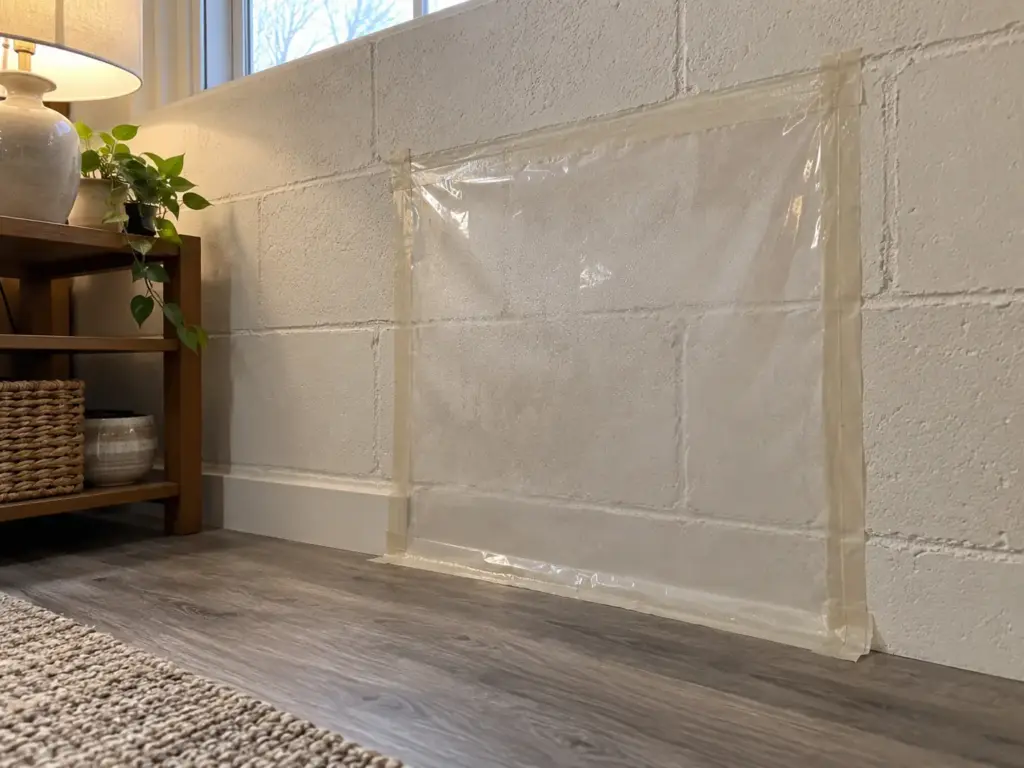
The free check, the plastic sheet test, is old and simple. A cinder-block basement can be checked with a simple test: tape a small piece of plastic to the wall and the floor, then pull it up after a couple of days to see whether the moisture is coming in through the brick or concrete. It is a practice, not a test standard, so it points in a direction and does not diagnose.
Read it by face. Droplets on the room side of the plastic mean the air’s own moisture is meeting a cold surface, which is the condensation case. Moisture trapped on the wall side, between the plastic and the block, means water is arriving from behind the surface.
A sheet that is dry on both faces after a couple of days says only that this spot was not the problem that week, so a wet spell is the time to run it. Do the floor as well as the wall, because the slab and the wall can tell different stories.
This is where the sensor earns its place, even though it cannot do the test. With the unit on its mid-room shelf for the same two days, you can tell whether the weather explains the sheet. Droplets on the room face during a stretch when the shelf’s high climbed fits condensation, and moisture on the wall face while the shelf stayed low fits a wall that is wet for its own reasons. The sensor gives the air’s side of the comparison, and the sheet gives the wall’s.
Tape all four edges of the plastic, not one, and write the date on a corner. A sheet taped on a single side lets room air slip in behind it, and then wet plastic proves nothing. When you lift it, look at which face carries the droplets before the room dries them.
When the wall is the source, and who fixes it
Some walls announce it. Efflorescence is the white, powdery salt that shows on block or concrete when water moves through it. It is a familiar pattern: cinder block walls, white powder on them, and books on a shelf that take on moisture over time. The powder comes back in the same place after a wet spell, which is what makes it useful. The wall is showing you where the water gets in, and the sheet tells you whether it is the wall or the air.
When the check says water is coming through, no sensor and no dehumidifier changes the wall. The water has to be redirected before it touches the masonry. No dehumidifier fixes the source of that water.
The free part of that job is outside. The University of Minnesota page lists the usual culprits: ground that slopes toward the house instead of dropping at least an inch per foot for six feet away from it, downspouts that dump beside the foundation (the extensions should discharge at least four feet beyond the wall), and window wells built so they feed water toward the wall. Those cost the least, so they come first.
If the sheet is still wet on the wall side after those are fixed, or the white powder keeps returning, the next call is a professional for the wall, a foundation or waterproofing contractor, not a stronger machine. The guide to what causes basement humidity in the first place covers where the moisture comes from, and the sensor’s job stays the same throughout: show whether the reading moves after each fix.
Which Sensors Can Reach Through Block and Concrete
A wireless humidity sensor whose reading never reaches the phone is worth nothing, and a block or concrete wall is where radio fails first. This section sorts the three ways a sensor talks, Bluetooth, Wi-Fi to the router and Zigbee through a hub, by what masonry does to each. One caution up front: no source opened for this guide tested a sensor through a basement block wall, so what follows about walls is reasoning from the listings, and it is marked as that.
Bluetooth: line of sight is not a basement wall
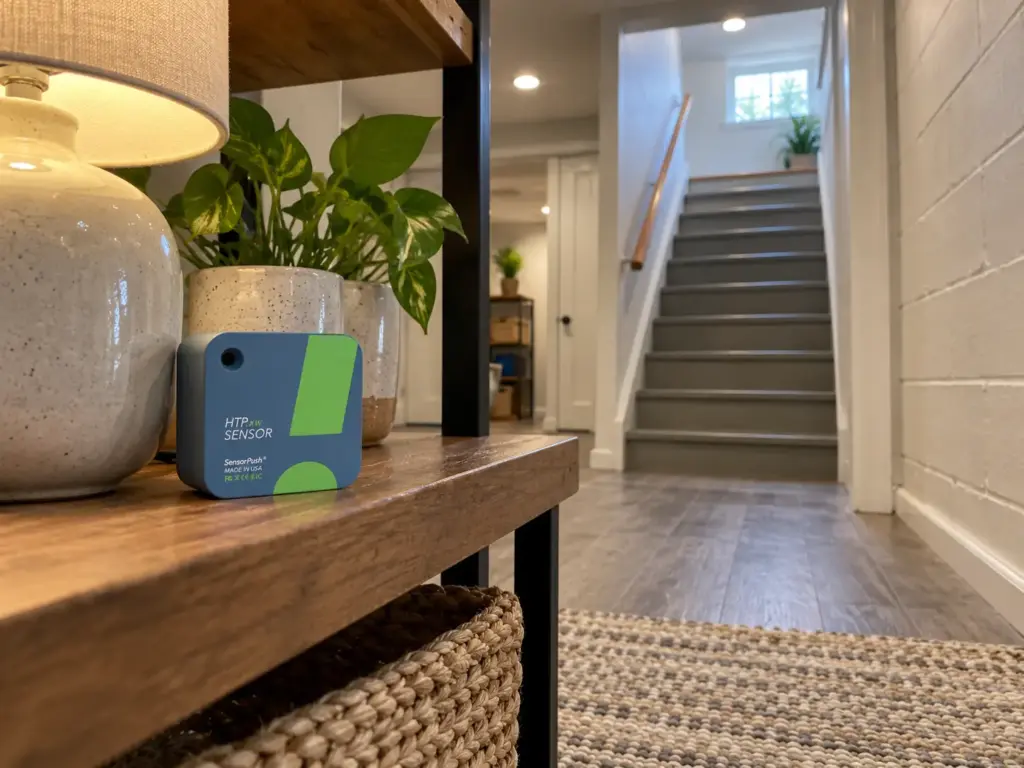
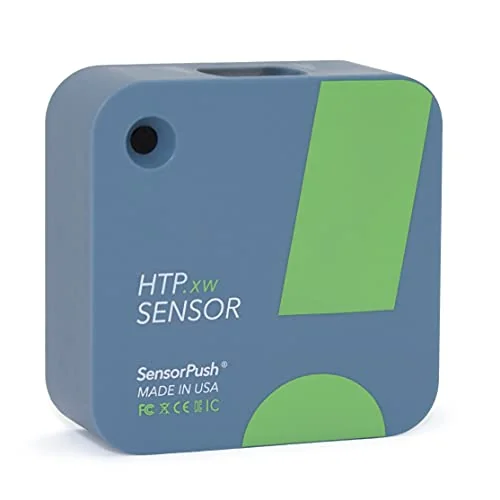
Bluetooth is the simplest option and the one with the shortest reach. The SensorPush HTP.xw listing rates its app connection as “within 100m, line of sight,” and the last two words are the whole problem, because a block wall or a poured-concrete wall is not line of sight. The figure describes clear air, not masonry.
Treat any listed Bluetooth range as a ceiling, never a guarantee. It is measured with nothing in the way, and a basement puts at least one thick wall and a floor between the shelf and wherever you hold your phone. Plan for a shorter reach than the box says and for the wall to cost you most of it, then test the path with the phone before you commit to a spot.
What Bluetooth does well in a basement is storage. These sensors log on their own (the SensorPush holds 30 days on board), then hand the history to the app when the phone comes into range. A Bluetooth-only unit down there works as a logger you collect from, not as an alarm that reaches you upstairs, and any alert arrives when the data downloads. You will see it as the app listing the sensor with no new readings while you stand at the top of the stairs.
Bluetooth hygrometers show the same weakness at a smaller scale: a sensor in a bedroom can struggle to sync with a phone in a living room not far away, and the range may not match the advertised one.
Wi-Fi to the router, and the gateway that sits where the sensor is
Wi-Fi moves the weak link. On the SensorPush, the only radio hop is from the sensor to its G1 Wi-Fi gateway, which is sold separately, and the gateway’s own Wi-Fi does the rest. So the gateway goes where the sensor has signal, in the basement, and the link that has to cross the floor is the gateway’s Wi-Fi to the router upstairs. That is how the G1 is built and not a measurement through a wall, so confirm it with the sensor on its shelf before you commit to the spot.
Of the sensors in this guide, it is the one whose short hop is easiest to engineer around, which is why it gets a closer look.
Zigbee needs a hub, and the hub needs a router in between
Zigbee makes the opposite trade. The Aqara Zigbee Temperature and Humidity Sensor T1 is the only Zigbee sensor in this guide, runs on a battery the listing rates at up to two years, and does nothing without an Aqara hub, which is sold separately; the listing also says other brands’ hubs are not supported. It asks to be placed within 400 inches of the hub for a stable connection, about 33 feet in the listing’s own conditions, and a block wall between the two eats into that distance (reasoning from the listing, not a test).
So in a block basement the sensor reaches the hub only if something sits between them, which in Zigbee terms means a mains-powered device that passes the signal along. That is the question to settle before ordering this one, because the sensor on its own is the cheap part and the path is the project. Home Assistant setups tend to solve it with a Bluetooth proxy or a Zigbee coordinator moved closer to the basement, and a mesh or a repeater is the real fix for a weak link; the guide to monitors that work with Home Assistant goes into it.
Radio paths in a basement also change. A router gets moved, a door gets closed, a new appliance goes against the wall, and a link that worked on the first night is worth checking again after the first few weeks.
When the app shows no new readings, change one thing at a time. Move the gateway or the hub closer to the shelf first, since it costs nothing, and wait for a fresh reading to arrive. If nothing comes, the next step is a relay between the two, and only after that a different radio. A reader who moves the gateway, adds a repeater and swaps the sensor in one afternoon cannot tell which of the three fixed it, and cannot tell which one to undo if the signal drops again.
Test the radio path before the sensor goes up. Hold the phone with the app open at the exact shelf, wait for a fresh reading to arrive, and only then settle the sensor in place. If no reading comes, move the gateway or the hub closer to the shelf, not the sensor closer to the wall.
How to Tell a True Reading From a Flattering One
A sensor on the right shelf, with a signal, is only useful if its number is worth believing. This section covers what a maker’s accuracy figure does and does not promise, and the cheapest way to find out how far off a particular unit is. The salt and sealed-bag checks live in the main guide, so the question here is how to run the first check in a basement.
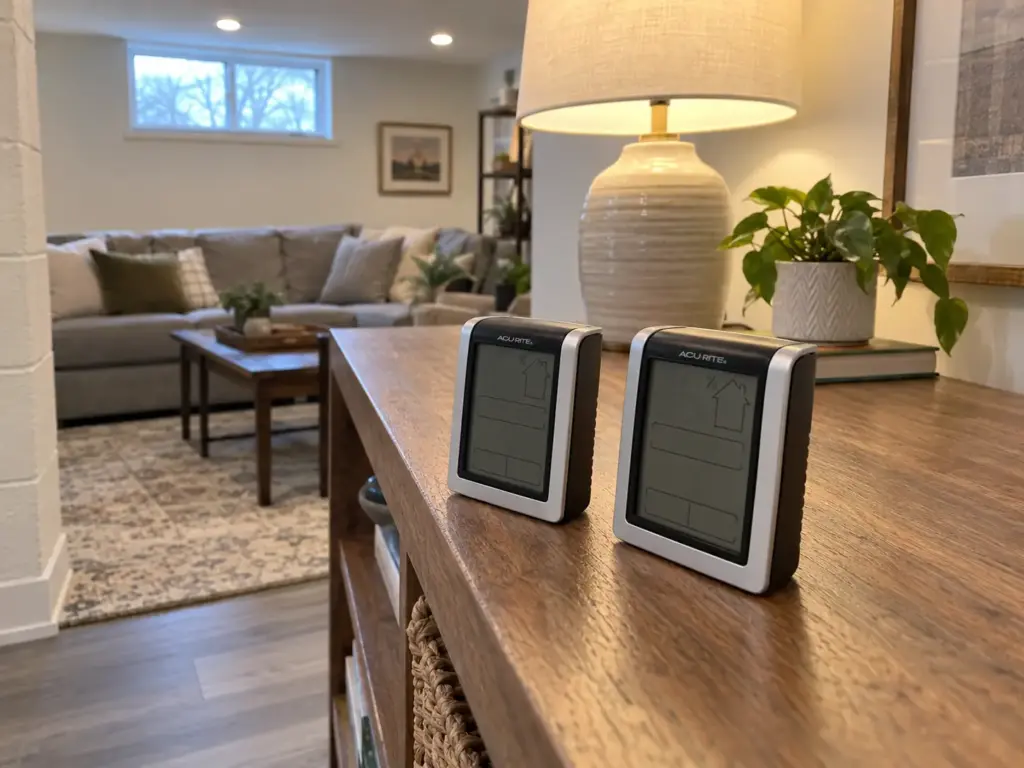
What a maker’s accuracy figure covers, and what it does not
The ThermoPro TempAir listing states plus or minus 2% RH and plus or minus 1°F (about 0.6°C). That is a manufacturer’s claim read off a listing. It does not say at what humidity the claim holds or how long the unit has been settling, and the first-day readings can be spotty. No source opened for this guide tested these units against a reference, so the number on the box is all there is, and the box is the maker talking.
The size of the miss that matters in a basement is the one you can work out. Hygrometers commonly differ from a reference by a few points, and built-in humidistats can differ by more, so a single device is not the final word. A reading of 58% on a unit that may be off by five points is somewhere between 53 and 63, which straddles both public lines and decides nothing alone. That is why the check matters more than the claim.
Offset in the app, or a second display to compare against
The Govee Smart WiFi Thermometer Hygrometer H5051 shows the offset approach: the app lets you calibrate, so the correction is a number you set once and every later reading carries it. It runs on 2.4 GHz Wi-Fi (the listing says no 5 GHz) or on Bluetooth, and it needs no hub or gateway, which leaves Wi-Fi to the router as the only radio, the one most likely to reach a basement from upstairs. The app sends an alert when a reading passes a preset value and offers a CSV export of two years of readings.
The catch is the connection. The Wi-Fi link is the weak point, since it can drop often, and battery life varies from unit to unit. That is an automated summary and not one person’s review, but it tells you what to test in the first week: leave the unit on the shelf and see whether the history has gaps in it.
An offset needs something to correct against. The cheapest reference is a second display on the same shelf, and the gap between the two is the first number to write down. The main guide to humidity monitors walks through the two-unit check, the saturated salt check and the sealed bag check, so none of them needs repeating here.
When the unit you are keeping reads three points above the reference, write a minus 3 on a strip of tape on its back. A plain display has no app to hold the correction, so the tape is where the offset lives, and it saves redoing the arithmetic every time you read it.
Five plain displays side by side, then compare
The AcuRite 00613 is listed as a pack of five tabletop displays, each running on one AA battery, and the pack is the cheapest way to run the comparison properly. Five on one shelf for a day show which one is the outlier, which two units cannot do. If four agree and one sits apart, the odd one is the one to retire. Several inexpensive digital meters can agree closely with each other, and with a good analog unit, which makes a cluster of cheap meters a practical check.
These are display only, with no app, no alert and no log to scroll back through, so they answer the question of whether a reading is believable and nothing about the weeks behind it. The saved listing carried no review text, so there is no repeated complaint to report in either direction.
A unit that reads a few points off all winter is still usable once its offset is known. The one that jumps around from one visit to the next is the one to return.
The 24-Hour Low and High Decide the Dehumidifier
The previous section left you with a sensor you can believe, and this one says which single number to read off it. A glance at the display tells you very little about a room that swings with the weather and with the dehumidifier’s own cycles. The day’s low and the day’s high tell you whether to run the machine.
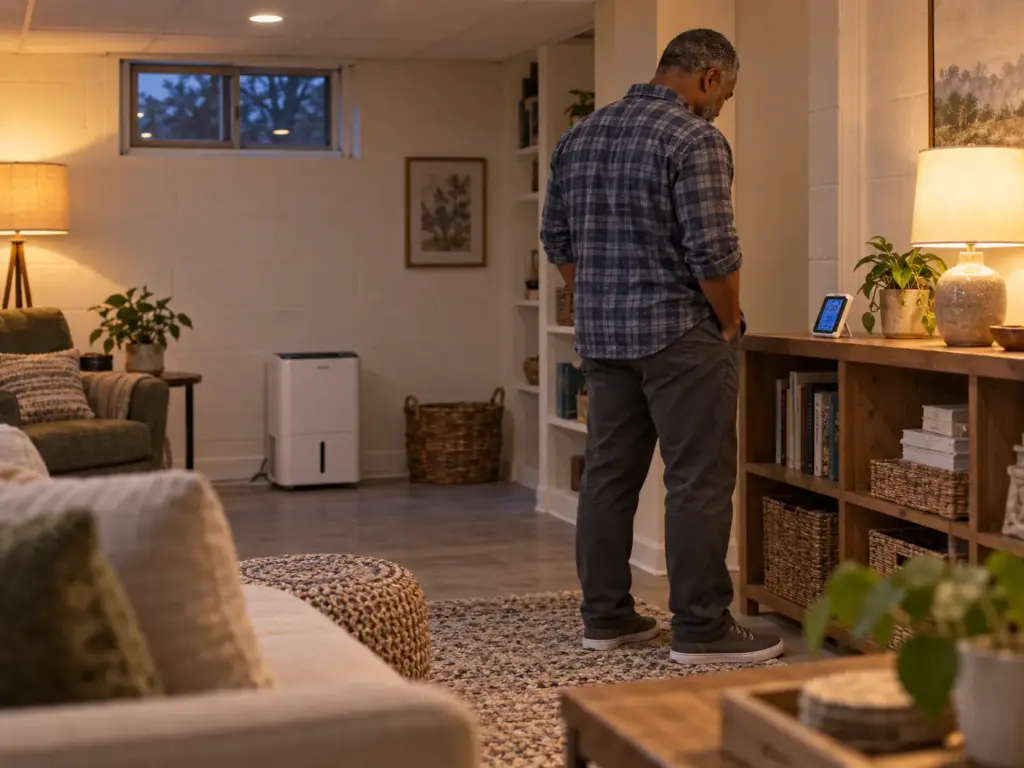
One reading, one number: the low and the high from the last 24 hours
Take a basement in the upper 70s percent humidity in summer. Before running a dehumidifier, measure the room first, because the reading decides how much the machine must do. Running a unit for only part of the day can leave a basement sitting above target, which means the setpoint may need to come down. The 24-hour low shows how far the machine pulls the room down, the 24-hour high shows how wet the room gets when the machine rests, and the gap between them is the run-time question in two numbers.
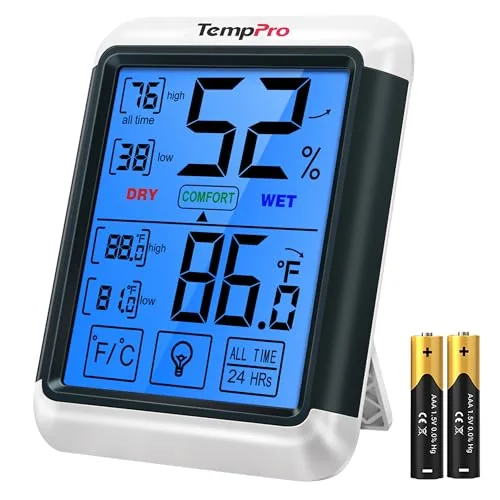
When choosing a meter, look for one that shows current values and the minimum and maximum from the last 24 hours. A display like that, left in the middle of the room for a full day, answers the questions that matter. Does the high stay under the ceiling? Does the low ever reach the range the room is aiming for?
If the high stays under the ceiling, the setting is doing its job. If the high passes it, the setting, the run time or the wall needs a look.
The low carries its own message. A low that sits in the 40s or 50s on a day when the machine ran says it can pull the room down, and the problem is how long it rests. A low that never leaves the 60s says the machine, its setting or the source of the water is losing to the room, and watching longer will not change that without a change on the room’s side.
The obvious pick for a basement is the sensor with the app and the alerts. For the first month the better pick is often the plain display that shows the day’s low and high, because it has no wall to cross, no account to sign in to and no connection to lose. The app unit earns its place later, when you want the long history, and it is the same reading either way.
The ThermoPro TempAir, listed as the TP55, is the budget reference for that reading.
The EPA’s ceiling and the CDC’s stricter line
Two public lines frame the reading. According to the EPA’s guide to mold, moisture and your home, “If possible, keep indoor humidity below 60 percent (ideally between 30 and 50 percent) relative humidity.” The 60 is the ceiling and 30 to 50 percent is the aim.
The CDC’s mold guidance for the home is stricter. It says to keep humidity as low as you can, no higher than 50 percent, and to hold it all day long. That phrase is what makes the 24-hour high the right number to read, because a lunchtime glance proves nothing about the hours when no one is looking.
Which line to hold is a house question. In a basement with a cold wall and a machine that cycles, a high of 55 percent passes the EPA ceiling and misses the CDC line, and neither number tells you whether the sensor is standing in the right air, which loops back to the first section. The target also moves with the season, because the same water reads a different percentage at a different temperature, and the guide to what humidity a basement should hold in winter covers that side of it.
The display whose max and min never reset
A display can show a max and a min and still not show the last 24 hours. The Govee Indoor Hygrometer Thermometer H5075 is the worked example of the wrong number: its display’s max and min figures are all-time records and never reset.
Expecting the past day, you will find no setting in the app to change it.
Bluetooth sync can also fail between a bedroom and a living room that are not far apart, which is the radio section’s warning from the other side: a reading is only as good as the scope of the number and the link that carries it.
Before you trust any max and min, check what it covers. If the box does not say 24-hour, assume it does not mean 24-hour. A max that never moves after a cool, dry week is an all-time record, and a record from two summers ago is the wrong number for tonight’s decision.
A display that looks fine on a visit and hides its worst number until the end of a damp night is exactly what the day’s low and high exist to expose.
What Wears Out First on a Basement Shelf
A sensor can be placed, bridged, checked and read correctly in week one and still fail by month three, because a basement is a hard room for a coin cell and a radio. This section is what to watch after the first damp season. The failures below are the ones that repeat in the reviews, and none of them shows up in the first week.
Batteries: the coin cell, the contact and the pack that rusts
The SensorPush HTP.xw runs on a CR2477 coin cell, which the listing rates at 1 to 2 years in typical conditions. In a hot climate the batteries can last well under a year, and the weak point is the contact that holds the cell, which loosens. The fix costs nothing and takes a minute, but you have to notice the sensor stopped, which is where the next section comes in.
On the ThermoPro, rust at the battery connection shows up in units running the batteries they came with. Whether the cause is the cell or the contact, the habit that makes sense is the same: open the compartment after the first cold month and look. A plain display with a dead cell at least announces itself with a blank screen, which is the one point in its favor.
Alerts that do not fire until the app opens
A phone alert, which is just a push notification, is only as good as the app’s permission to run in the background. A threshold alert can wait until the app is opened. An alert that waits for you to look is a log with a delay and not an alert.
Where the alert sits matters as much as whether it fires. Set it on the number that matters, the EPA’s 60 percent ceiling, and not on a comfort wish such as “a little drier,” so it watches the same 24-hour high this guide builds the decision on. And remember that silence is not good news: a Wi-Fi unit that drops off the network, like the one in that Amazon summary, or a Bluetooth unit that is out of range sends nothing, and the absence of an alert looks exactly like a dry basement.
Prove the alert once before you rely on it. Set the threshold a few points below whatever the display says right now, close the app completely, and wait. If the phone stays quiet, the alert is the problem, and the room is not.
Reading the app’s history across a season
The apps keep the history. The Govee H5051 listing says it records over two years of data and exports it as a CSV file, and the SensorPush listing lists unlimited in-app storage. That long app history, July through January, is what the app units offer over a plain display, and it is the reading that sorts condensation from groundwater: a basement that peaks in summer and falls in winter points at warm air meeting cold concrete, while a line that jumps after rain points at the ground.
Read the same week of a damp season against a dry one, and count the hours the line stays above 60 percent. It takes five minutes a month, and it belongs on the calendar next to the furnace filter.
Mid-Room Shelf, a Full Day, Then Read the Low and the High
Three things carry over from everything above. The sensor belongs in the room’s air, off the cold wall and clear of the machine, because it reports only the spot it sits in. If the wall is where the water gets in, no sensor fixes it: the plastic-sheet check comes first and a professional for the wall comes second. And the reading that decides the dehumidifier is the 24-hour low and high, held against the EPA’s 60 percent ceiling and the CDC’s stricter 50.
The check for later is short. After the first damp season, look at the 24-hour high from the worst week and open the battery compartment of whichever unit you chose, since those are the two things that drift by month three and both take a minute.
Tomorrow, put the sensor on a shelf in the middle of the room, leave it for a full day, and read the low and the high. If the high stays under the ceiling, nothing needs buying. If it passes the ceiling, the next question is how long to run a basement dehumidifier, and if the reading says the room needs a machine, the guide to dehumidifiers for a basement is where to go next.
Frequently Asked Questions
01What is the best humidity monitor for a basement?
The best basement humidity monitor sits in the room’s air, can be checked against a second display, and shows the last 24 hours’ low and high. A plain display covers the reading, and a Bluetooth or Wi-Fi unit adds alerts and history.
02Is 70% humidity too high for a basement?
Yes. The EPA says to keep indoor humidity below 60 percent, ideally 30 to 50, and the CDC says no higher than 50 percent. A reading of 70 means the dehumidifier setting, its run time or the wall needs a look.
03What is the most accurate smart humidity sensor?
No source opened for this guide tested a smart humidity sensor against a reference, so accuracy is the maker’s claim, such as plus or minus 2% RH on the ThermoPro listing. The accuracy that counts is the unit’s offset against a second display in the same room.
04Does a humidity sensor work through a concrete wall?
A sensor’s radio is not rated for masonry: Bluetooth listings say line of sight, and no listing tests a block wall. A Wi-Fi gateway or a Zigbee hub has to sit where the sensor has signal.
05Where should a humidity sensor go in a basement?
On a shelf in the middle of the room, off the walls and clear of the dehumidifier’s outlet and the water heater, at a height where the air actually moves. Leave it a full day before reading it.