

You are looking for the cheapest air quality monitor, and the listing in front of you has a low number beside it, ten icons underneath and a promise of accuracy. The worry behind this search is a fair one: a cheap purchase can turn into a costly mistake. It is buying the one that reads ten things when your room needed one.
A cheap monitor does not weigh the air; it infers a number from a light beam or a gas sensor and prints a band around that number, and the band, the power supply and the sensor’s life are exactly where the price went. This guide picks by the one reading your room is missing, walks the four units a budget shelf offers, and puts the bill for month two on the table before you pay for month one.
Every cell below is what that unit’s listing prints, not a result from a bench here, and the last column is the thing each unit cannot do for you.
| Unit | What it reads | Power | The one thing it cannot do |
|---|---|---|---|
| Temtop CO2 Monitor Portable CO2 Meter | CO2 from 400 to 5,000 ppm, plus temperature and humidity | Battery: about 70 days in power-saving mode, about 30 in performance mode | Settle which CO2 sensor it uses, because its listing describes the sensing more than one way |
| INKBIRD NDIR CO2 Detector | CO2 from 0 to 9,999 ppm, plus temperature and humidity | Battery only; the maker claims 3 to 6 months per charge | Back its months with anything but the maker’s claim, or show a tolerance for the CO2 reading |
| GoveeLife H5140 | CO2, temperature and humidity, refreshed every 5 seconds | AC power only, no battery | Work anywhere without an outlet, or be carried outdoors to calibrate |
| Temtop S1 PM2.5 | PM2.5 from 0 to 999 µg/m³, plus temperature and humidity | Alkaline cells: at least 20 days in smart mode, at least 60 in eco mode | Read CO2 at all |
The one reading your room is missing picks the cheap monitor
A low price pulls you toward whichever budget air quality monitor reads the most things. Turn the question around and ask which single number the room is not showing you, because once that is settled, the shortlist in the sections after this one is short.

A stuffy room points at CO2, smoke and cooking at particles, a damp corner at humidity
Start with the direction the room is off, because the direction picks the reading. A bedroom that feels close with the door shut is a CO2 question: carbon dioxide builds as the people in the room breathe out, it climbs while the door stays closed, and it drops within minutes once a window is open. Smoke, a scorched pan and a long stir-fry are a PM2.5 question, since those events put particles in the air in a jump that a particle sensor can see and a CO2 meter cannot. A musty corner, window glass that sweats or a wall that stays cold is a humidity question (a reading of relative humidity), and that one belongs to a different and cheaper device, a cheap indoor humidity checker, so it gets its own article instead of a spot on this shelf.
One reading per problem is the whole shortlist, and in a rental apartment with one window and no ducts it is usually all the shelf needs. If you would rather have every reading on a screen decoded first, what each reading on an air quality monitor measures does that job; this article only needs the one your room is missing.
Take a listing with ten icons and cross out all but the one reading your room is missing, then ask whether the unit is still the one you would buy. The cheapest unit that reads that single number usually beats the cheapest unit that reads ten, because the other nine are paid for and never looked at.
What the cheap tier does not read
Two things are missing from this tier altogether. Radon is not read by these units (the ones that do read it are their own branch, covered in monitors that read radon), and carbon monoxide is not read either: the Temtop CO2 listing says in so many words that its detector cannot detect carbon monoxide. A CO2 meter and a carbon monoxide alarm are different devices that answer different questions.
The EPA is plain that the alerts from low-cost monitors are not designed to warn of an immediate hazard the way a CO or smoke alarm is, so a red light here is a prompt to act on the room, not an emergency signal. If the house burns gas or has an attached garage, an alarm built to the UL 2034 standard is a separate purchase, and if it ever sounds, the rule is to leave the house and call the fire department.
One more reading deserves suspicion. On the budget multi-sensor units that carry one, the VOC line is generally an index rather than a value: it says the number went up since morning or down since the window opened, with no absolute figure behind it. A trend cannot tell you what to change, and that is why no unit sold on its VOC icon made this shortlist.
The free check before any shopping
Before any shopping, open a window for ten minutes and see whether the problem moves. If the room stops feeling close or the smoke smell thins, the number you were missing was CO2 or particles, and a monitor will confirm what the window already suggested rather than cure anything. If nothing moves, the source may not be the air at all: a damp wall or a leaking window seal needs a different fix, and a monitor on the shelf would only record it.
Reading CO2 for less, and what each unit gives up
If the room is stuffy, the shortlist is two or three CO2 units, and the interesting part is how alike their printed bands are while their power, their screens and their complaints are not. This section takes them one at a time and says what each gives up in the same sentence as its name.
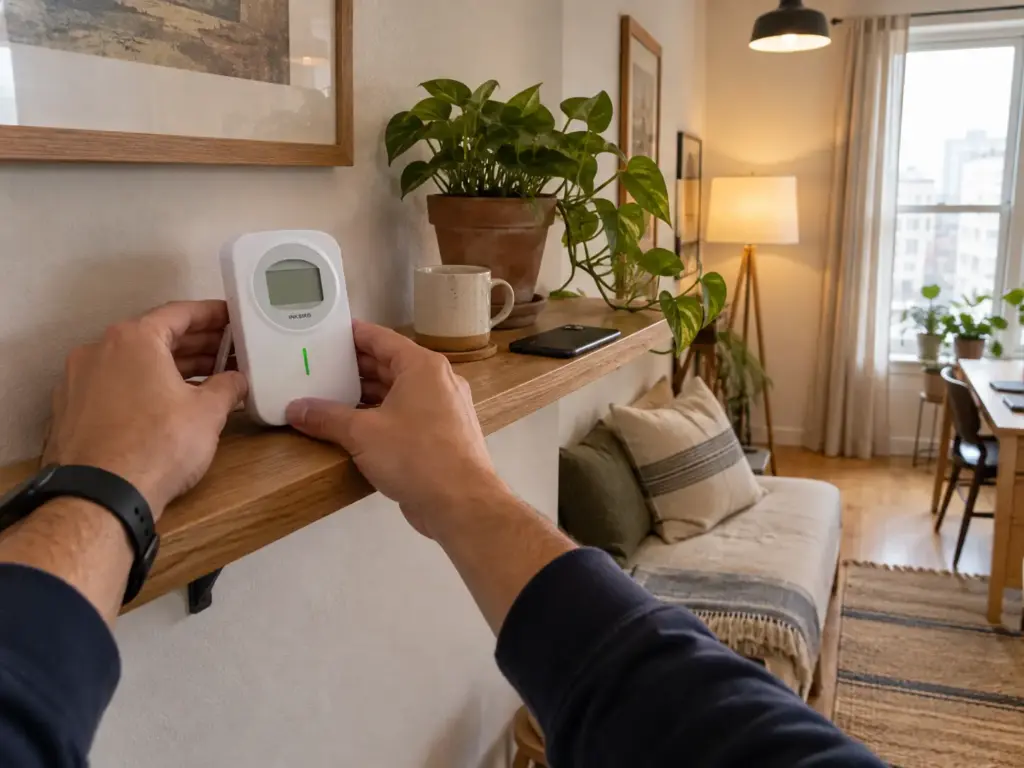
The Temtop CO2 Monitor, and the band it prints
The lowest way into CO2 on this shelf is the Temtop CO2 Monitor Portable CO2 Meter, which the listing itself calls the C1. It prints a range of 400 to 5,000 ppm, a 3.3-inch segment screen, and a CO2 accuracy of ±(40 ppm + 5%) between 400 and 2,500 ppm. That band is the maker’s number, taken from the listing, and none of it was measured here. It is not a CO2-only unit either, because the same listing prints temperature to ±0.9 °F (±0.5 °C) and humidity to ±5% RH.
Run the band as a division you can do on the shelf. At a true 1,000 ppm, 5% of the reading is 50, and the fixed 40 on top makes ±90, so the screen can show anywhere from 910 to 1,090 ppm and still sit inside what the maker printed. The 1,000 you read is a neighborhood, not an address.
What it gives up is the part a price sheet leaves out. The review summary on the listing (a summary Amazon writes from the reviews, not a customer’s own words) says others report it “doesn’t work out of the box and the CO2 readings are inconsistent.” On sensor type, the listing describes the CO2 sensing in more than one way and never settles it, so this article does not name the technology, and a buyer who cares should look for it on the box or in the manual.
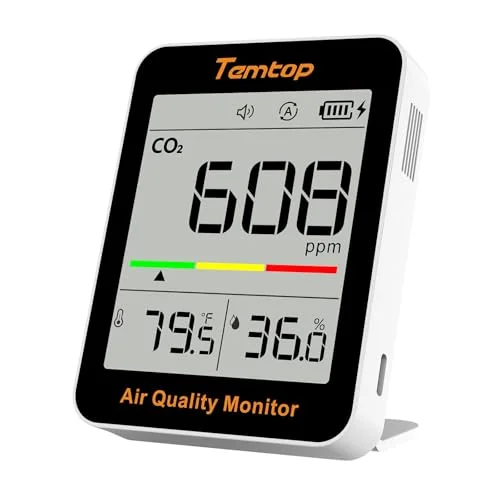
The battery-only INKBIRD, and the months it claims
If the shelf you care about has no outlet within reach, the INKBIRD Indoor Air Quality Monitor NDIR CO2 Detector is the battery-only alternative: no cable, a range of 0 to 9,999 ppm, and a listing that names a “Swedish CO2 sensor” without giving a model. The listing text prints tolerances for its temperature (±0.2 °C, or ±0.36 °F) and humidity (±1.8% RH). For the CO2 reading it prints a range and no tolerance, so there is no band to work out like the one above, and this article prints none.
The months are the trade. The maker claims three to six months on a single charge, and the review summary on the listing says others report it doesn’t last as long as advertised. That is a claim to check against a calendar from the first charge (the next section turns it into a number). Pick this one for the shelf with no outlet, and treat the months as a claim until the second charge.
What a band of plus or minus 90 ppm does to a 1,000 ppm room
The number everyone quotes for a stuffy room is a line, and a cheap unit turns the line into a stripe. If you have decided to open the window at 1,000 ppm, a screen that says 1,000 might be sitting in a room at 910 or at 1,090, and nothing about your decision changes unless the reading lands right on the line. What the band wrecks is the digit, not the trend.
Two units that are both inside their printed bands can sit as far apart as 180 ppm, so a gap of a hundred between two cheap units on the same shelf is not a fault, while a gap of four hundred is a question. The GoveeLife unit in the next section prints the same band, so a second brand does not shrink it.
What you compare is the pattern: the same unit on the same shelf at the same hours, two nights running. A digit you cannot trust to within ±90 still shows a room that climbs while the door is shut and falls when it opens, and that shape is the whole use of a cheap CO2 meter. For what the number means once you have it, see what indoor CO2 levels actually mean in a house. For the general story, how far an air quality monitor can be off has it.
Batteries, outlets and apps: the bill that comes in month two
A cheap monitor’s price tag leaves out three things you pay for later: the cells, the outlet and the app. Each unit on this shelf hands you a different one, and since none of the listings prints a running cost in watts, the bill here is a calendar.
Days between cells and charges, turned into swaps per year
Divide 365 by the days between swaps and a battery claim becomes a chore count. The Temtop CO2 Monitor lists about 30 days in performance mode, sampling every minute, which comes to roughly 12 charges a year; in power-saving mode, sampling every 10 minutes, it lists about 70 days, so roughly 5. The Temtop S1 lists “at least” 20 days in smart mode and 60 in eco mode, and because “at least” only points one way, the real count is at most about 18 sets of cells a year in smart mode and about 6 in eco.
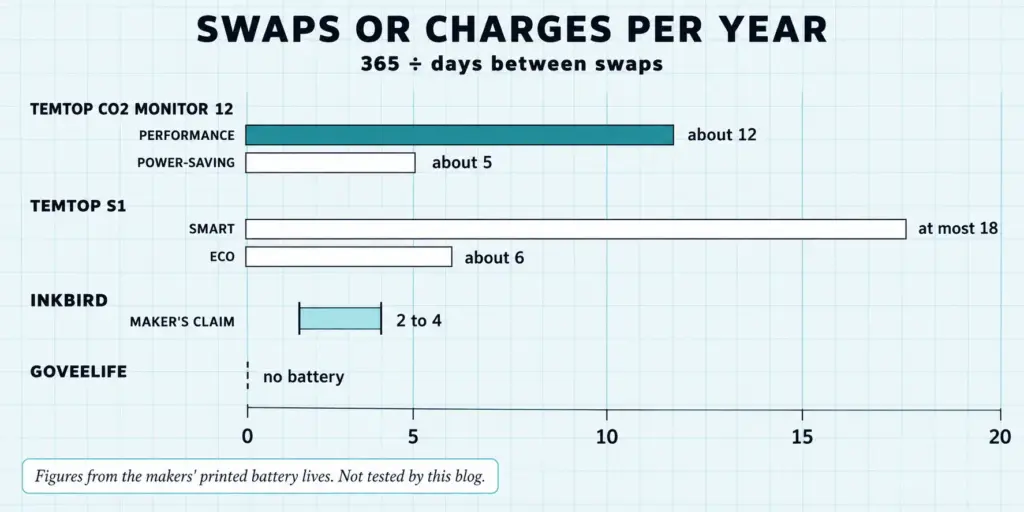
The INKBIRD’s claim of three to six months comes to two to four charges a year, if the claim holds. One listing detail changes how the Temtop CO2 numbers read: it advises keeping the unit plugged in for real-time monitoring, so the battery figures describe how often it samples, not a promise of a live screen on cells alone. Twelve charges a year is a chore people skip; two is a chore people remember.
The unit that needs an outlet
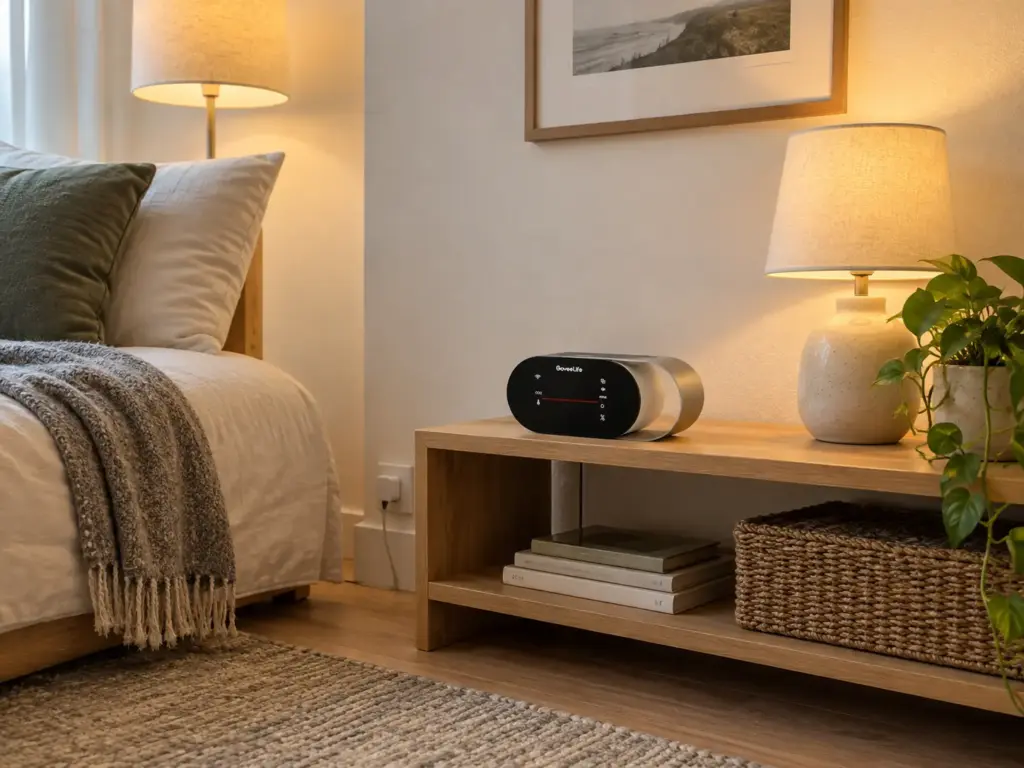
The GoveeLife Smart Air Quality Monitor CO2 Detector H5140 is the opposite choice: no battery at all, AC power only. Its listing names the sensor family (an SCD4x, which the listing places under a “photoacoustic NDIR principle”), prints the same ±(40 ppm + 5%) band as the Temtop, refreshes every 5 seconds and talks to an app over WiFi. Frequent disconnections are a known weak point of this kind of monitor, and its battery does little if the unit is always plugged in.
An outlet unit goes where the outlet is, and the outlet is rarely at the height where you breathe: on a bedside shelf it reads the bed, and behind a lamp on the baseboard it reads the baseboard. None of the four listings prints a power draw. The 5 V and 1 A on the two Temtop listings is the USB charger’s input rating, a ceiling of 5 watts and not what the unit uses, so this article does not turn it into a running cost.
The usual drift advice also gets awkward here. The maker’s own line on the listing is “Calibrate in the app’s settings outdoors if required,” which means a walk to the porch with a unit that needs a plug. A battery unit is the one you can carry out the door.
Apps, exports and running it offline
Ask one more thing before buying: does the unit still work with the app off? Some units keep working without the app or Wi-Fi, except for firmware updates. A unit that goes dead without its cloud is the outcome to rule out, and the product page or manual should say whether it does.
Of the four units here, the GoveeLife is the one built around an app: its calibration lives there and the review summary mentions alerts arriving through it. Whether its screen keeps showing the reading when the WiFi drops is a question for the maker before you pay. If you want a unit’s readings in a dashboard of your own rather than a vendor app, air quality monitors that work with Home Assistant covers how local data and app lock-in play out. For this shelf, the question is only whether the unit still works when the app does not.
Reading particles for less, and the band near clean air
Smoke and cooking particles are a particle problem, and the cheap particle unit is a different animal from the CO2 meter: it prints a band that is widest exactly where you want it narrowest. This section reads that band the way the last one read ±90 ppm.
The Temtop S1, and what it prints
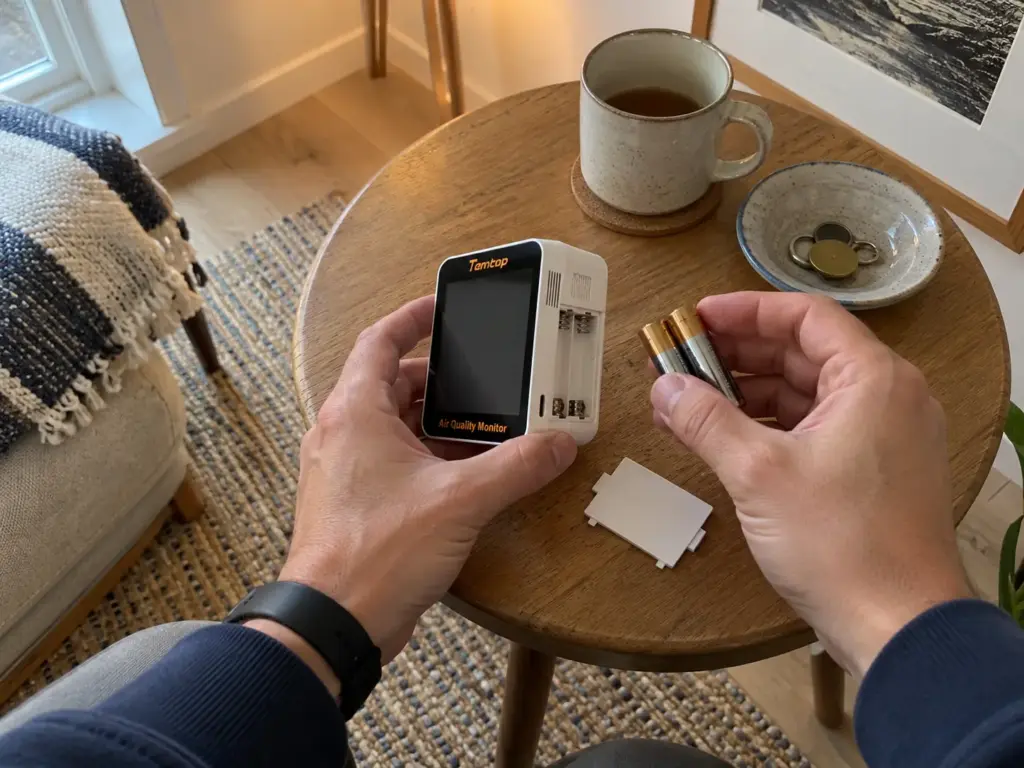
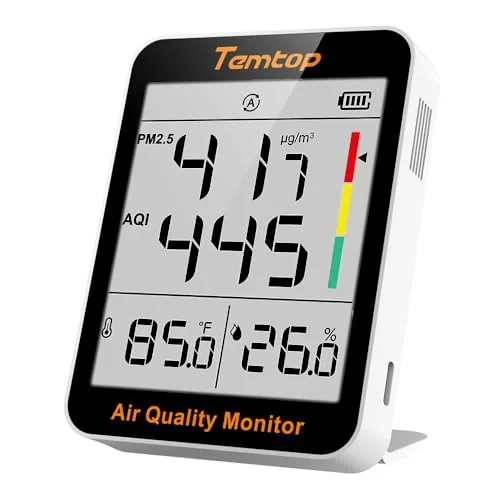
The Temtop S1 PM2.5 Air Quality Monitor & Indoor Thermometer is a laser particle sensor with a PM2.5 range of 0 to 999 µg/m³, a humidity tolerance of ±5% RH and a temperature tolerance of ±0.9 °F, running on alkaline cells. The listing’s wording is “miniature laser particle sensor,” with no model number. It reads no CO2 at all, which matters because a room can be stuffy with a perfectly low PM2.5 reading.
The color on its screen is a second thing to read carefully. The EPA’s guidance on these monitors says there are no widely accepted indoor performance criteria for most of them, and that the level that triggers an alert is the manufacturer’s decision. A green or red indicator tells you what the maker decided, not what a standard says.
A band of plus or minus 5 at the clean end
The S1 prints ±5 µg/m³ from 0 to 50, ±10 µg/m³ from 50 to 100 and ±10% from 100 to 500. Work it at a true 12 µg/m³: the screen can say anything from 7 to 17, a swing of 10 on a reading of 12. At a true 75 the band is ±10, so 65 to 85. Near clean air the band can be close to half the reading itself.
So the S1 gives a rank, not a value: higher than an hour ago, lower after the window opened, a spike when the pan hit the oil. That is useful to know about a kitchen, and it is not a number to set beside one from another unit. The same logic covers the indicator light, since a reading that can be off by 5 at the low end can land on either side of a cutoff. A green light is the unit’s reading falling under the maker’s line, nothing more.
Readings that stick are a common problem on budget monitors, some units stop working within a few months, accuracy varies from unit to unit, and the display may lack the backlight the product photo suggests. It is Amazon’s summary of the reviews, not a customer’s own words. A three-month unit is a good reason to put a date on the first day.
What the S1 leaves out
It leaves out CO2, and that is the whole difference between this section and the last. If the room is stuffy with the door closed and nothing is burning, the S1 will report calm air while the CO2 climbs. It also leaves out a VOC reading, which on the units that carry one is a trend, as noted earlier. A reader who needs both CO2 and particles is looking at two units or at one combined unit, and that trade is the subject of all-in-one monitors for air quality, humidity and temperature.
A stuck particle unit repeats one number while the room changes. The worrying part is how plausible that number looks, since a low reading in a kitchen is exactly what a person wants to see.
To catch a stuck particle sensor in week one, stand the unit at the kitchen doorway and fry something with the exhaust fan off. A unit that works climbs within minutes and falls once you run the fan or open a window; a unit that shows the same digit through all of it is the stuck kind, and week one is when the return window is still open.
When a cheap unit goes wrong in month two
Reviews written in the first week read the first days. The price of the cheap end is paid after that, and the failure that repeats has a shape: one channel goes wrong while the others look fine.

The channel that fails while the others look fine
A cheap monitor can seem fine at first and then have one channel fail: the CO2 sensor can spike for no reason and keep beeping while the PM and TVOC readings still look normal. One channel failed and the rest carried on looking normal. That is what makes the failure hard to catch: a screen with three plausible numbers and one wrong one.
Each of these four has its own weak point:
- Temtop S1: readings can get stuck.
- Temtop CO2 Monitor: it may not work out of the box, and its CO2 readings can be inconsistent.
- INKBIRD: it may not last as long as advertised.
- GoveeLife: disconnections are a known issue.
Each of those is Amazon’s summary of the reviews, not a count of failures.
Check the baseline and a second unit before blaming the sensor
When a cheap unit looks wrong, change one thing at a time and read it again between changes. First the room: stand the unit by an open window or carry it outdoors for fifteen minutes. A CO2 meter should fall toward the outdoor reading, which is your free outdoor baseline, and a particle unit should fall toward the clean end of its range. If it falls, the sensor is alive and the trouble was where it sat or what it had learned.
Second, move it to a shoulder-height shelf away from the window, the vent and the stove, and read it for a night.
Third, put a second unit beside it and compare the two over the same hours; the two-unit check is what separates a wide band from a bad sensor.
There is a reason a bad placement can look like a bad sensor. CO2 meters with an automatic baseline set their own zero by treating the lowest reading of a recent stretch as clean air. A room that never drops near outdoor air (a closed bedroom, a studio with one window) teaches the unit that its stuffiest hour is normal, and every later reading shifts.
The maker’s fix, which the GoveeLife listing repeats, is to take it outdoors. Replace it? Not yet: move it first, and swap only if it repeats.
A unit that starts alarming when the bedroom door is shut is often one placed where the breath lands, a bedside shelf, or one that never saw outdoor air during its baseline period. Both get fixed by moving the unit before they get fixed by replacing it.
On the day the unit comes out of the box, hold it at an open window, write the number and the date on a strip of tape on the back, and leave it there. Month two stops being a question of whether the room feels right and becomes a question of whether the unit still says the same thing at the same window.
When it is a replacement, not a recalibration
Every unit on this shelf will wear, and sensor drift is the part you can count on while the sensor’s lifespan is the unknown. According to EPA’s guidance on low-cost air pollution monitors, “All air pollutant monitors have a limited lifespan and can become less reliable over time.” What no source behind this article supplies is the month or the count of years at which a cheap CO2 sensor should be replaced; the maker is the only one who can estimate it. The same EPA page adds that these monitors have been evaluated based on outdoor conditions, which may not reflect use indoors, one more reason to trust a second unit beside yours over a number printed on a box.
So the rule has to come from behavior. A unit that spikes with no cause, after the outdoor check and the second unit, is a replacement. A unit that sits a few hundred ppm off its neighbor at the same spot on the same day is a calibration or a band, and the trip outdoors is the first thing to try. A unit that repeats one number while the room changes belongs with the first group: it is stuck, not off.
Do cheap monitors share the same sensors inside?
It is often said that cheap monitors share the same sensors and that the price is mostly the app. The listings let you check only part of that, and the part they do not let you check matters as much. The listings let you check half of that, and the half they do not let you check matters as much.
What the claim says
The argument is that most air quality monitors use the same sensors, and that the real difference is how proprietary the software is, followed by whether the unit requires its app and how repairable it is. The open question is whether sensors can easily be swapped out when they reach the end of their lifespan.
That is an opinion, and nobody has checked it against a spec sheet. But the part is not the whole price. It is a reasonable thing to suspect, since two monitors at very different prices could contain the same part. But the part is not the whole price.
The screen is part of it (a 3.3-inch segment display on one listing, a display with no backlight on another), and so are the power supply, the app and the case. A unit can share a sensor with a pricier one and still give up everything around it, which is why the claim is worth checking against the listings instead of taking on faith.
What the four listings name, and what they do not
The four listings read for this article say this about their sensors:
- GoveeLife names its sensor family, an SCD4x.
- The Temtop CO2 Monitor describes its CO2 sensing in more than one way and settles nothing.
- INKBIRD says “Swedish CO2 sensor” with no model.
- The Temtop S1 says “miniature laser particle sensor,” again with no model.
So the claim can be checked on one of the four listings and can be neither confirmed nor refuted on the other three. That is the finding. That is the finding. It is narrower than “they all use the same sensors,” a sentence no listing here lets anyone write.
Naming the family does earn the GoveeLife one thing: its sensor can be looked up. A sensor of the same SCD4x family can read differently with temperature, so the outdoor check on a cold day is not the same check as one in a warm room. If you buy a unit of that kind, run the comparison at the temperature the room actually sits at. One tester in one room settles nothing. It does make the outdoor check on a cold day and the same check in a warm room two different checks, so if you buy a unit of that kind, run the comparison at the temperature the room actually sits at.
What to ask the maker before buying
Three questions turn that doubt into a purchase decision:
- Which sensor model is inside? A listing that gives a part number can be compared against a datasheet. One that says “high-precision” is a promise with no part number.
- Can the sensor be replaced when it wears out? A particle sensor you can swap is the thing that would settle the open question, and no verified unit of that kind made this shortlist.
- Does the unit work with the app off? That one was the subject of the section on apps above.
What the answers buy you is a month-two plan. A maker that gives a model name and says the sensor cannot be swapped has told you the unit is replaced whole, so the swap calendar from the power section is also the length of its life. A maker that cannot name the model at all has told you something too: the comparison you were hoping to run against a datasheet is not available, and the second unit beside it becomes the only check you have.
The longer version of this list, covering logging and update rates as well, is in what to look for in an air quality monitor.
The free check and the shelf that come before the purchase
Before buying anything, two things cost nothing and decide whether a cheap monitor will tell you the truth: the outdoor reading, and the shelf it sits on.

The outdoor reading as the baseline
Carry a unit you already own outdoors, or stand it at an open window, for fifteen minutes. A CO2 meter should fall toward the outdoor reading and a particle unit toward the clean end of its range. Comparing indoor and outdoor carbon dioxide levels goes into what the outdoor number is. If the unit does not fall, the unit or its baseline is the question, not the room.
A battery CO2 meter in power-saving mode samples on a timer, and the Temtop CO2 Monitor lists every 10 minutes in that mode. Fifteen minutes at the window gives it one or two readings, so give it a few intervals, or switch to the faster mode for the check, before deciding that it did not move.
The shelf, three to six feet from where you breathe
The EPA advises placing a monitor in the breathing zone of the people in the room, which it puts at about 3 to 6 feet from the occupant, not against a wall and away from vents, windows and stoves. A unit on the windowsill reads the window; a unit behind the couch reads the couch. Placement changes the number more than the model does: a monitor only measures the spot where it sits.
None of this turns a monitor into an alarm, either. A carbon monoxide alarm is its own device, bought and placed on its own. For the placement and settling time of a CO2 meter specifically, how to measure carbon dioxide in a room goes through both.
Then the free change the reading points to
When the unit tells you something, change one thing and read it again. A high CO2 reading points to the free changes first, a window, a door or a vent, as laid out in lowering carbon dioxide in a home, and then you read the number again to see how far it moved. A high PM2.5 reading after cooking points to the exhaust fan run longer, then the same second look.
Do not do both on the same evening: a reader who changes two things cannot tell which one worked. And if the reading moves a little less than you hoped, that is a result too, because it says how much of the problem the free change covered.
When you are ready to look at the whole shelf rather than the cheap end, choosing an air quality monitor for the home is the place to go.
Buy the reading the room lacks, then hold it to the window
Three things carry over from the shelf:
- Buy the unit that reads the one missing number, CO2 for a room that feels close and PM2.5 for smoke and cooking, not the unit with the longest list of icons.
- Every cheap unit gives something up, a printed band, battery days, an outlet or an app, and the table at the top names it.
- Read it against the outdoors and a second unit before you trust it, and write the date for the cells before the first set dies.
A month from now, carry the unit to the open window again and compare it with the number you wrote on day one; the cells, and whether the screen still moves when the room does, will tell you how the month went.
Tomorrow, put the unit on a shoulder-height shelf away from the window and the vent, read it at the same hour two nights running, and compare the two shapes before you change anything in the room.
Frequently Asked Questions
01What is the best cheap air quality sensor?
The best cheap sensor is the least expensive unit that reads the one number your room is missing, CO2 for a close room or PM2.5 for smoke and cooking. The two Temtop units in the table print their bands plainly, so compare them there before adding icons you will not use.
02What is the best affordable air quality monitor?
An affordable monitor is the one that gives up the least on the reading you need, so the first question is whether your shelf has an outlet nearby. With no outlet, the battery INKBIRD fits; with one, the GoveeLife does. The table lists what each gives up.
03Are cheap air quality monitors accurate?
Cheap monitors are accurate only within a printed band, and that band is wider than the single number on the screen makes it look. At a true 1,000 ppm, a unit printing ±(40 ppm + 5%) can show 910 to 1,090. How far a monitor can be off has the full story.
04Is it worth getting an air quality monitor?
An air quality monitor is worth buying when its reading will change what you do, such as opening a window or running a fan longer. It is not worth it when the fix is already known. A cheap unit pays off only if it reads the number your room is missing.
05Do cheap air quality monitors need an app?
Many cheap monitors lean on an app for history and alerts, so whether the unit still works with the app off is the first thing to ask.