

Two small monitors sit side by side on a shelf, and both print “CO2” above a number. One has a sensor built to measure carbon dioxide. The other works the figure out from the volatile compounds in the air, so an uncapped bottle of nail polish remover moves its number even though nobody added a breath to the room. The box prints that difference in one small word, and reading it is the first move when you are sorting out what to look for in an air quality monitor.
The buying checklist below runs in the order that decides the answer, from the reading your room is missing to the sensor, the accuracy band, the data path, power, placement, lifespan and the alert; if you would rather settle the reading first, the pillar on picking the reading first covers that decision for the whole house.
Quick Answer
Work down the box in this order, and treat the brand, the screen and the app as tiebreakers.
- Pick the one reading your room is missing: CO2, particles or humidity.
- Read the sensor name: NDIR means measured CO2, eCO2 means estimated.
- Find the accuracy line and note its format: ppm, percent or both.
- Ask where the history lives and whether it can leave the unit.
- Match the logging interval and power source to the spikes you want caught.
- Convert the printed sensor lifespan from hours into years of running.
Which Reading Your Room Needs Before Any Brand
The box lists everything the unit can print: CO2, PM2.5, VOCs, humidity, temperature, and on a few models radon or air pressure. That list tells you what the unit is capable of, not what your room is asking, and the room only has one question tonight. Settle which reading answers it and every later check gets easier to judge, because each one is measured against that single figure; the sibling on what each of those readings actually measures takes the others apart one at a time.

One unit, five or six readings
A typical unit prints some mix of CO2 in parts per million (ppm), PM2.5 in micrograms per cubic meter (µg/m³), a VOC figure, relative humidity in percent and temperature in degrees. The spec lists in HouseFresh’s monitor roundup show how uneven that mix is.
A CO2 meter in the roundup prints CO2, temperature, humidity and pressure and no particles at all. A unit with a touchscreen adds PM2.5, PM10, VOCs and sound. The cheapest particle unit prints PM2.5, humidity and temperature and says nothing about gases. A shelf of boxes that all read “air quality monitor” is a shelf of different instruments.
Two things change how you read a long list. More readings means more sensors, and every extra sensor is one more part that can drift, wear out or be mislabeled, which is why the sensor checks in the next section apply to each line on the box and not to the unit as a whole. And a unit with six readings often keeps the one your room needed at the bottom of the app, behind a menu: the reading is printed, just not where a glance finds it. If you are weighing a combined unit against two single-purpose ones, all-in-one units get their own comparison.
The room’s complaint points to the reading
Start from what the room does. A bedroom that feels close by morning, with the door shut all night, points to CO2, a number that climbs when people breathe in a room that isn’t exchanging air and falls within minutes once a door or window opens.
A kitchen that hazes up or smells after dinner points to particles, which a laser counter reads in µg/m³. A window that sweats on cold days points to relative humidity in percent, and the cheapest instrument on any shelf, a hygrometer, reads that. Three rooms, three different missing readings, and the direction tells you which sensor to check next.
This is where the obvious pick stops being obvious. A particle counter looks like the serious instrument (it has a laser and a lab-sounding spec sheet), so it can look like the one to buy first. For the stuffy bedroom, though, a particle counter answers a question the room never asked. The VOC line on a box is a related warning: even absolute values are not particularly helpful, because the sensor reacts to thousands of compounds at different strengths, and a single figure cannot tell you what to change.
Readings that need their own device (radon and carbon monoxide)
Two readings sit outside the usual mix. Radon is read by a few units, one of which comes up in the data section below, and it is a separate buying decision from CO2 or particles; the sibling on monitors that read radon handles it. Carbon monoxide is different again.
Most monitors do not read it, and none of them replaces the alarm a household already needs on its walls; the alert section further down says exactly what an alert can and cannot do. If your room’s question is one of these two, the rest of the checklist still applies, but you are shopping for a different instrument than the general-purpose one.
The Sensor Behind the Number, Measured or Estimated
Two units can print the same figure and mean different things, because one measured it and the other inferred it. The spec sheet has one word that tells you which. The rest of this section is about finding that word and knowing what to do when it is missing.
NDIR means CO2 was measured, eCO2 means it was guessed
NDIR stands for nondispersive infrared. A sensor of this type shines infrared light through a small chamber of room air and measures how much of it the carbon dioxide absorbs, so it reads the gas itself. An eCO2 value is something else, and AirGradient, a monitor maker, says so in its own testing guide: “This means that the sensor is actually estimating CO2 derived from VOCs, and these sensors are significantly less accurate.” It is one maker’s guide, so read it as one maker’s view, but the distinction it draws is the reason this check comes before every other. The same guide ranks the sensor families in tiers, and the estimated ones, such as an SGP30 or a CCS811 reporting eCO2, land at the bottom.
The sensor type predicts the upkeep before the brand does. Metal-oxide and electrochemical sensors, the guide says, tend to be less accurate, need frequent manual calibration and have shorter lifespans, while optical NDIR is the type reference equipment uses.
At the shelf, the check is the word on the listing. The INKBIRD Indoor Air Quality Monitor NDIR CO2 Detector puts NDIR right in the product name, which is exactly the kind of line you want to find. A name on a listing is still the maker’s claim until the unit has been through the container test further down or stood beside a second meter.
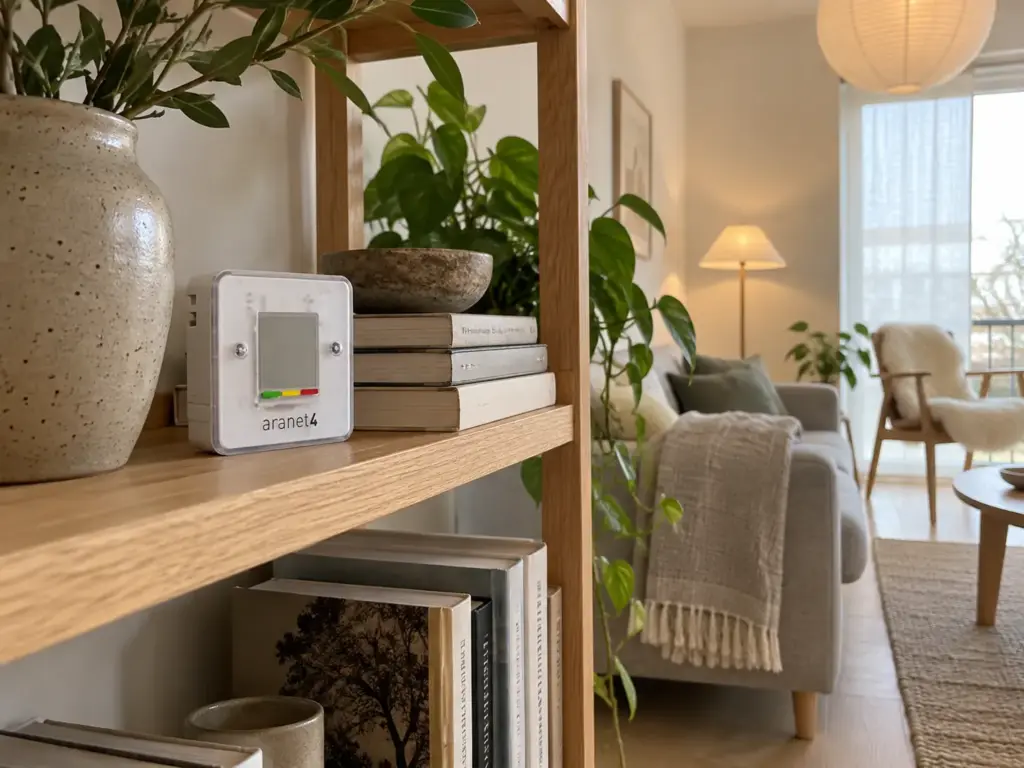
A second NDIR example swaps the bare listing for a screen you can read across a room. The Aranet4 has an e-ink display and, according to HouseFresh’s spec list, a Senseair Sunrise sensor. Its catch is a small mechanical one: HouseFresh reports that the battery cover slid off a few times while the unit rode in a backpack, which matters if the monitor will travel with you and barely at all if it stays on a shelf.
One more detail keeps the sensor name from being the whole story. AirGradient’s guide notes that Senseair sensors sit inside monitors ranging from its own ONE to the Aranet4, and that the same sensor can read differently from one monitor to the next, because makers apply their own calibrations and the housing and internal layout affect the module. The name tells you the type of measurement, and the next section is about how tightly it is held to a band. A middle case also exists: HouseFresh points out that the photoacoustic variant of NDIR, found in cheaper CO2 units, has been shown in an AirGradient study to work well indoors and to be less useful outside, a fair trade in a bedroom and a reason to read the spec instead of the price.
Laser counters for particles, and what a VOC figure is
Particles have their own sensor family, and a PM2.5 sensor is usually an optical particle counter. A laser or optical counter pulls air past a laser beam, the particles scatter the light, and a detector set at a right angle picks up the changes, which is how the unit counts particles by size and arrives at a PM2.5 figure in µg/m³ (HouseFresh’s Q&A describes the same mechanism). At the shelf, the question is only whether the listing says laser or optical for particles, or names the counter, since HouseFresh notes that infrared particle sensors, common in purifiers, are less precise than laser ones.
A VOC figure, often labeled TVOC for total volatile organic compounds, is the vaguest line on any box. Many units print a relative VOC index chosen by the maker, a scale that moves up and down without a fixed unit; a few print an absolute figure, and even those add together thousands of compounds that the sensor responds to unevenly, which is why the absolute value is of limited use. Treat VOC as a trend line, not a verdict: it rises when a spray bottle or a hot pan arrives and settles when the room airs out.
Cheap AQI monitors are often not well calibrated, and two of them placed side by side will show different values.
A home check that sorts the two
AirGradient’s guide offers a home test that separates NDIR from the rest with no equipment. Uncap something high in VOCs (nail polish remover, hairspray, alcohol; even an uncapped marker pen will do), put it in a sealable container next to the monitor, close the lid and watch the CO2 line.
An NDIR reading should not move because of the VOC source. A metal-oxide sensor will start to show discrepancies, and if the monitor also has a VOC line, that one climbs while a true CO2 reading stays steady. Watch the CO2 line while the container stays closed and note whether it moves.
It is a maker’s method and it has not been checked here against a second source, so treat the result as a quick sort and not a lab finding. It also needs a monitor you can still return, which is one more reason to run it in the first days. And if you own two units with the same sensor, the guide suggests testing them together, because monitors that don’t agree with each other are unlikely to be accurate against anything else.
On the spec sheet, look for the word NDIR or for a CO2 sensor model by name, such as a Senseair S8 or a Sensirion SCD4x. A model name like SGP30 or CCS811 paired with an eCO2 reading is the estimated kind. If the listing says only “CO2,” that is a question for the seller before it is a reason to buy.
Accuracy Is a Band, and the Format Is Part of It
With the sensor type settled, the next number is the one printed beside it. No monitor reads exactly; the box states how far off it may be, in one of two formats that look alike. The sibling on how accurate these monitors really are owns the full band, and this section only teaches you to read the line while you are standing at the shelf.
Absolute, relative, or both
Accuracy is printed in three forms. An absolute band (the absolute uncertainty) is a fixed number of ppm or µg/m³, such as ±50 ppm. A relative band (the relative uncertainty) is a percent of the reading, such as ±10%.
Many CO2 sensors print both together: HouseFresh lists the Aranet4 at ±30 ppm plus 3% of the reading, and the Airthings View Plus at ±50 ppm ±3%. AirGradient’s guide works the combined form through at 1,400 ppm, where 30 ppm plus 3% of 1,400 (another 42 ppm) gives a total of ±72 ppm, so the unit should read between 1,328 and 1,472.
Which format reads tighter depends on where the room sits. ±3% looks like the smaller number until you remember it grows with the reading. Set a plain ±50 ppm against a plain ±10%: at 400 ppm, ±10% is ±40 ppm, a little tighter; at 2,000 ppm it is ±200 ppm, four times as wide. The box that looks more precise at the shelf can be the looser one in a bedroom that stayed shut all night.
Particle lines hide something similar. Several units print ±10 µg/m³ for the 0 to 100 µg/m³ range and ±10% above it. In a room reading 8 µg/m³, a ±10 µg/m³ band runs from nothing up to 18, wider than the reading itself. A tighter low-end band, such as the ±5 µg/m³ over 0 to 50 µg/m³ that HouseFresh lists for the Temtop S1, is worth looking for, with the reminder that it is still the maker’s figure.
The band also comes with conditions. According to HouseFresh’s spec list, the View Plus CO2 line holds within 50 to 95°F (10 to 35°C) and 0 to 80% relative humidity. A figure printed with no such range is a figure with an unstated asterisk.
What the EPA says about testing
A reader who sees “tested” on a box might assume a federal lab did it. For the indoor case, none did. The EPA’s own air sensor FAQ says its sensor evaluations are carried out in outdoor conditions, and states it plainly: “we do not conduct evaluations in indoor conditions.”
The same page names Lawrence Berkeley National Laboratory and the National Institute for Occupational Safety and Health as groups that have evaluated sensors indoors, and it adds that the agency cannot recommend or endorse commercial sensors and that its testing results are not a certification. Whatever indoor accuracy a box claims comes from the maker or from an outside test, not from an EPA seal.
The FAQ is just as direct about what moves a reading. Sensors can occasionally report questionable data points and can carry a bias that systematically over- or underestimates the concentration. Low and high temperatures and high humidity can make them read off, and some need field calibration to give better data. A monitor on a humidifier shelf, in a damp basement or at a cold window is working against its own rating.
Third-party test databases
Outside tests exist, and they are worth a one-minute search with the model name. The South Coast Air Quality Management District runs AQ-SPEC, and AIRLAB keeps a microsensor database; AirGradient’s guide names both as places that compare consumer monitors with reference equipment and publish reports, and it names RESET Air as a certification that comes with a test report. HouseFresh leans on the AQMD results when it calls one monitor family accurate for its price, and it also notes that the AirGradient units had not yet been tested by AQMD. That is how to read a missing listing: as absent data, which is a question, and not as proof of a bad sensor.
A missing report has a budget answer, and it is a side-by-side check. Putting two devices next to each other shows how much weight one number can carry, and carrying a unit outdoors shows how far it sits from the open-air reading. After two weeks in one room, two monitors that still disagree by the same amount are showing you a bias and not noise. And a bias, AirGradient’s guide notes, can sometimes be corrected because it is systematic, which random scatter cannot.
Where the Data Goes: App, History, Export
A good sensor is wasted if its readings end up in an app nobody opens. This section asks where the history is kept, who can take it out of the unit in a data export, and what happens to that path after the purchase.
History on the device or only in an app
A reading can live in three places: on the screen, inside the unit’s memory, or in a cloud service reached through an app. Only the first shows you the number now, and only the other two show what the room did overnight. The EPA’s FAQ spells out the practical consequence: many sensors do not display data in real time, so the user may need to download it and view it on a computer or in an app, and some require Wi-Fi, cellular or Bluetooth to do it. A bedroom monitor that shows a figure now but cannot show the night is answering half the question, because the hours with the door shut are when CO2 builds.
The Temtop LKC-1000S+ stores up to three months of data inside the unit and exports it by USB cable, according to HouseFresh, which is the shape of answer you want when Wi-Fi is weak: history on the device and a cable to take it out. The Temtop S1 sits at the other end, since HouseFresh says exporting data or connecting a phone requires the S1+ model. The spec line to look for names where history is stored and in which format it leaves, not the word “app,” which appears on every box.
Export, and the quiet change after you buy
The Airthings 2960 View Plus puts radon, an NDIR CO2 sensor and a laser particle counter in one unit, which is why its data path is the trade-off worth checking. HouseFresh reports that the data is available only through the Airthings app or its web dashboard, with no export, although the unit works with IFTTT, Alexa and Google Assistant. You can read a long history there, but you cannot take it somewhere else, and if the app changes, your view of the data changes with it.
The path can also move after you have paid. HouseFresh describes the PurpleAir Zen as a sensor whose data you used to download straight from the website and now reach through an API, which is trickier for anyone non-technical. It is an example of a data path that changed, not a recommendation, and it explains why the check is the spec line and not the feature list: apps update, buttons move, and HouseFresh notes that one monitor’s app can be buggy after updates. A manual that says “exports CSV over USB” has committed to something that a menu label has not.
Before buying, search the model name plus “export CSV” or open the maker’s help page. The answer sits in one line of the manual, and a unit that says “view history in the app” and nothing about export has told you the answer already.
Smart-home hooks are a bonus, not the point
Alexa, Google Assistant, IFTTT, Home Assistant, MQTT and HomeKit show up on box after box, and each is useful once the basics hold. For the buyer of a first monitor in a rental, they deserve one line: a hub hook does not fix a sensor that is estimated, a band that is loose or a history that is trapped. The sibling on monitors that talk to Home Assistant goes through the integrations, and this checklist treats them as a tiebreaker after everything above has passed. An alert pushed to a hub is also still the maker’s threshold, a point the alert section returns to.
Power, Logging Interval and the Display
The data path says where readings go; this section says how often they are taken and how long the unit lasts between charges, the two numbers that decide whether a spike gets caught at all. They pull in opposite directions, and the display decides whether anyone ever looks at the result.
Battery against interval
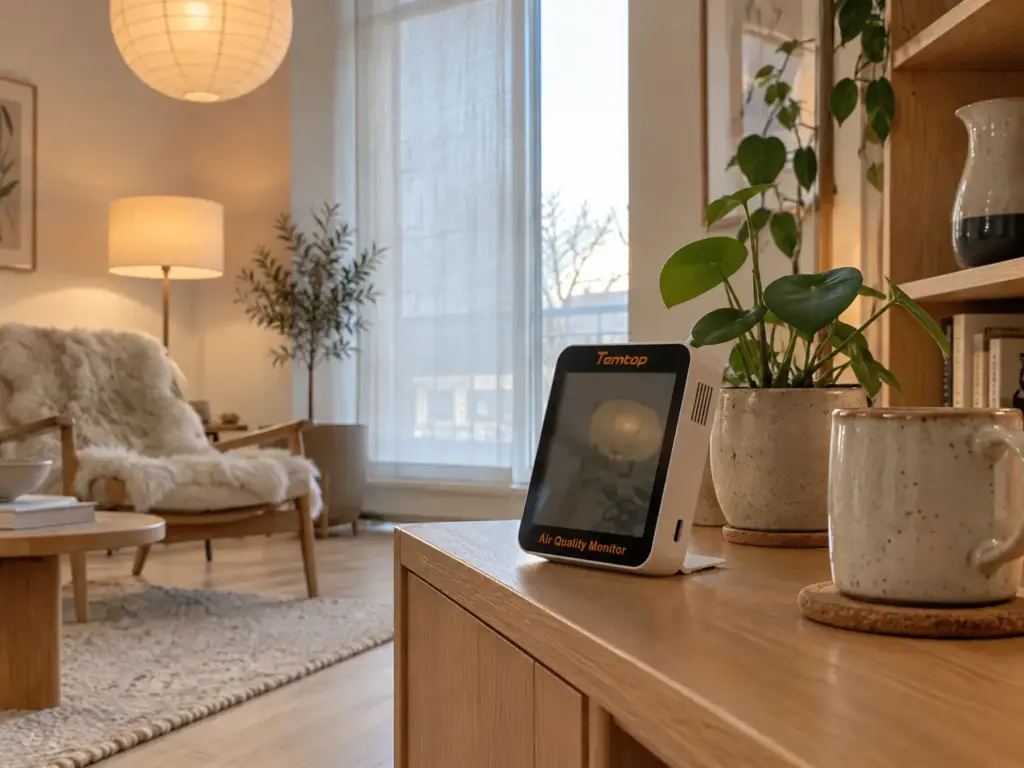
A battery that lasts for weeks is a battery that sleeps most of the time. The Temtop S1 is a useful example because its listing prints the trade-off out. In interval mode it collects PM2.5 every 5 minutes, which HouseFresh says stretches a single AAA battery to up to 25 days, and a slower power-saving mode reaches up to 60 days.
Five minutes means 12 readings an hour, so a cooking spike that lasts ten minutes gets two of them, and one that lasts three minutes can slip between two readings and leave no trace. The unit in that mode is not broken; it is sampling at the pace it printed.
Sorting by battery life misleads here. Longest battery life is the number many shoppers sort by, and it is usually the slowest interval talking. For a kitchen or any room where particles arrive in bursts, the better unit is the one you plug in, or the one you set to its faster mode and charge more often, even if its box brags less. For CO2 the answer flips: HouseFresh says the Aranet4 can record every 10 minutes and run up to seven years on lithium AA batteries, and CO2 in a closed bedroom rises over hours, so six readings an hour lose nothing worth catching.
The S1 also carries the usual price of a cheap unit. HouseFresh says it will not be as accurate as the other monitors in its roundup, and that export and phone connection need the S1+. Whether those trade-offs suit you depends on the room, and what the cheapest units give up by month two is the question that sibling answers.
Plugged in changes what you get
The power source can quietly change the specs. HouseFresh reports that the Airthings View Plus logs as often as every 2.5 minutes, its shortest interval, only when it is plugged in; it runs on six AA batteries or USB-C, and on batteries the readings are spaced further apart.
The Qingping Pro Gen 2 goes further, with an internal battery that lasts only a few hours, so it is a plugged-in unit with a battery for moving it to another outlet. Neither is a reason to avoid the unit. They are lines to read, and the question to put to any listing is “shortest interval, on which power?”
Plugged in has a failure of its own, and the EPA’s FAQ names it: sensors may not collect data all the time, because power supplies go out and technology malfunctions, and the agency’s advice is to check sensors frequently. A cord that works loose from a shared outlet leaves a gap in the record. It is worth knowing which outlet the monitor will live on before the box arrives.
A screen you can read from the sofa
A reading nobody looks at changes nothing. The Aranet4’s e-ink display is the example HouseFresh points to: readable even in sun, a screen that does not need to light a room to be read, and a buzzer that sounds when CO2 reaches its red threshold of 1,400 ppm. On a nightstand, being readable at a glance without a glowing screen is the use that matters.
The opposite end is a color. Many units show a green-to-red indicator in place of a number, and a color tells you only which band the maker drew. The S1’s indicator, for example, reads good for 0 to 50, fair for 51 to 150 and poor above 150, according to HouseFresh.
The number behind the color is what you compare with the target you chose. Look for a screen that prints the figure and its unit and is readable from across the room, large enough to read from where you will sit, and an app that doesn’t hide the same number three taps deep.
Placement Can Undo a Good Sensor
Everything so far assumed the monitor sits somewhere sensible. A correct sensor in the wrong spot prints a correct number about the wrong air, and the shape of the unit decides how many spots are open to you. The sibling on where to put a CO2 meter and how long to wait owns the placement protocol; this section is the shopper’s version, what to check on the listing before the unit arrives.
Breathing height, away from walls and vents
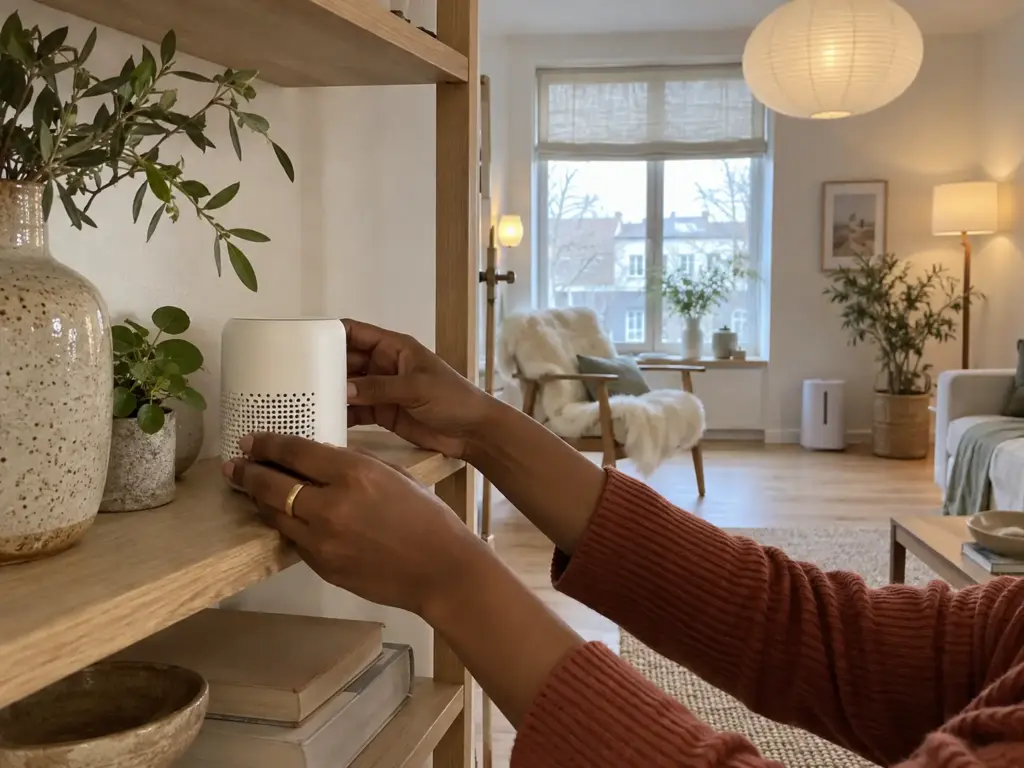
A monitor should sample the breathing zone, the air a person sits or sleeps in: roughly at the height of a bed or a chair, not on the floor and not on top of a tall bookcase, and out of the stream of a vent, a window or a stove. A bedroom can read well below its morning figure at night and climb far above it by morning with the door closed, which is why the spot and the time both matter. When the same climb shows up in every room and drops fast once outside air gets in, the sensor is probably fine. A reading is a number from one place at one time.
In a corner or behind a plant, the air around the sensor turns over slowly and the figure lags the room, which makes the cord length and the stand on the listing part of the accuracy. A unit that only reaches the outlet near the baseboard will report the baseboard.
Intake and exhaust must stay clear
Particle sensors pull air through a small chamber, so the intake and the exhaust have to be open. A unit pressed against a wall, wedged between books or lying in a drawer is starved of the air it is supposed to count. Look at the product photos for where the openings are.
A monitor with a magnet or bracket on the back is built to sit against a surface and expects air to reach the front; a flat unit with vents underneath wants a shelf with some clearance; a handheld with a flip-out stand wants a table. None of these is better than the others, and the point is whether the unit can stand where the room needs it.
The humidifier and the cooker are not neighbors
A monitor beside a humidifier reads the plume and not the room, and one beside the stove reads the stove. The EPA’s caution about humidity and temperature extremes, described earlier, is the reason, and the rating makes it concrete: the View Plus CO2 line holds within 0 to 80% relative humidity, so a mist plume or a damp windowsill can push a unit outside the range it was rated for.
The cold side of the room matters in the same way. A monitor on a windowsill or against a cold exterior wall reads air that is not the room’s, and the sibling on the cold-wall problem covers what that means for humidity and mold. For shopping, all of this becomes one question: do the unit’s size, stand and cord let it live at breathing height, near an outlet and away from the humidifier and the cooker, in the room you are measuring?
Check the cord length and the stand on the listing before anything else about placement. A unit whose cord only reaches the outlet by the floor reads the floor, and a stand that tilts the vents toward the wall starves the particle sensor.
Calibration, Replacement and the Lifespan on the Box
Placement is a one-time choice. This section is about the same sensor by month thirty: whether it drifts, whether anything inside it can be replaced, and whether the box prints a date when it stops.

Auto-calibration and the fresh-air trip
Sensor drift is the first problem: AirGradient’s guide says CO2 sensors drift, even over short periods, and some re-zero themselves on a schedule through “auto calibration” cycles, which can change what they read and is one reason two monitors in the same room disagree. HouseFresh’s notes on the Aranet4 say its NDIR sensor requires less recalibration than other types of CO2 sensors, so the sensor type from the second section pays out again here.
The check that doesn’t depend on that schedule is a trip outdoors, which gives the unit an outdoor baseline. AirGradient’s method is to take the monitor outside, or set it near an open window or door in a room with nobody in it, trigger the unit’s calibration from its app or dashboard, and leave it for 5 to 10 minutes. The part about nobody being in the room matters, since a person standing there puts their own breath into the number.
Comparing a unit with outdoor air shows how far off it normally is. Particle devices built around Plantower laser counters have been run this way for years against calibrated units. That is one setup, not a study. What it adds to the checklist is a question for the listing: can the user calibrate this unit, and how?
A lifespan printed in hours
Gas sensors lose sensitivity over time, and the EPA’s FAQ says some air sensors are usable for only one to two years. Particle counters have a more concrete clock: a laser has a rated life, and it is printed as hours on the spec sheet. Hours are not how anyone thinks about a device in a house, so the shelf check is arithmetic, dividing the rating by the 8,760 hours in a year.
The Temtop LKC-1000S+ 2nd Gen is a good place to practice. HouseFresh prints a laser particle sensor lifetime of up to 20,000 hours for the LKC-1000S+, and says the sensor cannot be replaced once that lifetime ends.
Twenty thousand divided by 8,760 is about 2.3 years of non-stop running, so a unit left on around the clock reaches its rated end in a little over two years. The same unit adds a formaldehyde reading through an electrochemical cell, and the spec list in that roundup gives no lifespan for the cell. That is worth knowing, because AirGradient’s guide says electrochemical sensors tend to wear out sooner.
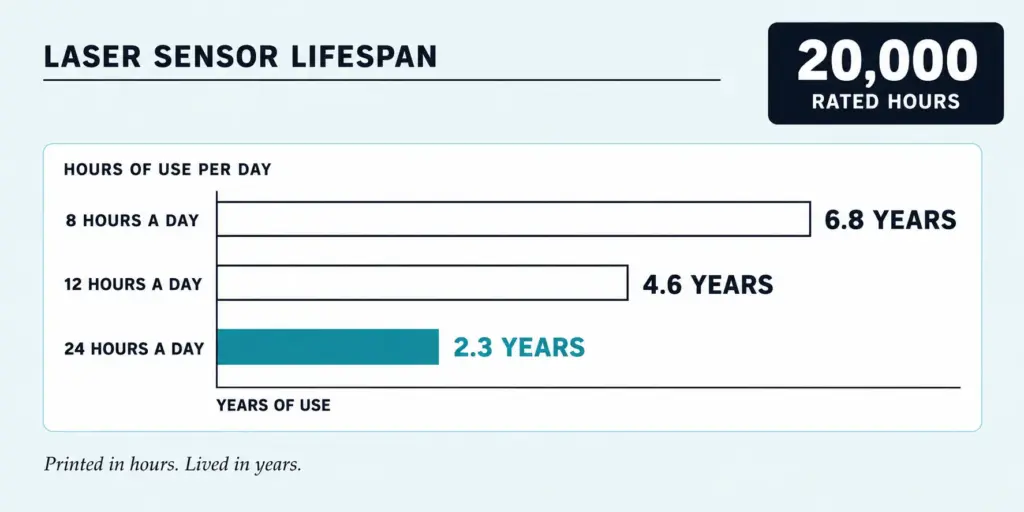
Change the hours and the answer changes: 12 hours a day stretches the same rating to about 4.6 years, and 8 hours a day to about 6.8. Whether a rating counts only the minutes the laser is on, which matters for a unit that samples on an interval, is a question for the maker’s page and not the shelf. The shelf check is to find the rated hours on the spec sheet for your exact model before the unit starts running day and night.
Parts that can be replaced and parts that cannot
The opposite of a fixed clock is a part you can swap. HouseFresh lists the particle sensors in the PurpleAir Zen as user-replaceable, says the same of the AirGradient ONE and Open Air, which use sensors from Plantower, Sensirion and SenseAir, and says the Qingping Pro Gen 2 lets you replace its PM sensor when the time comes. These units tend to be more technical or more expensive, and none of them is the right first monitor for everyone. But a replaceable sensor changes the cost of month thirty: sensor replacement means buying a part instead of another unit.
The warranty line on the box works as a lifespan clue too. HouseFresh’s spec lists show a 5-year manufacturer’s warranty on the Airthings View Plus and 1 year on the PurpleAir Zen. A longer warranty doesn’t prove a longer sensor life, though a maker willing to stand behind a unit for five years is saying something about what it expects to last.
What an Alert Can and Cannot Do
Most units color a reading red at some threshold, and some beep. That alert threshold is a choice the maker made, and the alert has one job, which is to get you to look at the number.
The threshold is the maker’s, not a law
The Aranet4’s buzzer sounds when CO2 reaches its red threshold of 1,400 ppm, according to HouseFresh, and the Temtop S1 labels 0 to 50 good, 51 to 150 fair and anything above poor. Those are the makers’ bands, and another maker will draw them elsewhere.
The EPA’s FAQ is explicit about what it evaluates and where (outdoors, not in indoor conditions), so no federal indoor test sits behind the color your app turns. The check at the shelf is two questions. Can the alert be set to a level you chose, such as the CO2 target you decided on for the room? And what does the unit do when the alert fires: a color, a buzzer, a message to a hub?
Alerts also speak about the room’s habits. An alert that fires every evening at the same hour is telling you about the kitchen, not about the unit, so the pattern is the information and the red color is not.
A monitor is not a CO or smoke alarm
A carbon monoxide alarm is a separate device, built for its own job and to its own standard (UL 2034 in the US). When a CO alarm sounds, the household instruction is the same every time: everyone leaves the house and someone calls the emergency number from outside. A monitor is not a substitute for that alarm, and one with no CO sensor cannot be it, and a monitor with an alert on any other reading, CO2 or particles, is not one either.
Smoke works the same way, since a particle counter that turns red is not a smoke detector. The monitor on the shelf adds a number to a room, and the alarms on the ceiling keep doing their own job. If a home does not have working alarms, those come before any monitor.
The Ordinary-House Version of the Checklist
The checklist so far assumed a shopper with a choice of rooms. Most readers have one room to measure, one outlet near the bed, a Wi-Fi signal that gives out at the bedroom door and a lease that rules out drilling. What follows folds the checklist into that case and ends with one card to keep.

One room, one outlet, no drilling
Start with the room where you sleep or work and put one monitor there. A second unit is a later decision, and the budget version of confidence is to run two next to each other briefly before spreading them around. If the question is humidity, the cheapest instrument you can add first is a hygrometer, and a cheap humidity checker you can trust changes more decisions than a new device does. If the bedroom is the room, why carbon dioxide rises at night in a closed bedroom explains the curve you are about to see.
No drilling narrows the field in a useful way. Look for a stand, a magnet or a plain tabletop footprint, USB power so there are no batteries to swap, and a cord that reaches the nightstand outlet without crossing a walkway. The unit that works best is the one you still look at in month three.
Before buying, write the one reading the room is missing on a sticky note and stick it where you shop. Every box that does not print that reading is out, however good its screen looks.
When Wi-Fi is weak
A unit that needs the cloud to show anything is a poor match for a signal that dies at the bedroom door. Prefer one with history on the device, a screen that prints the number, or Bluetooth to a phone you carry into the room. The data question from earlier gets a sharper answer here: where does the history live when the Wi-Fi is down? The EPA’s FAQ lists Wi-Fi, cellular and Bluetooth as communication methods a sensor may need, and the one your house actually supports is a spec, not a detail.
The checklist on one card (the comparison table goes here)
Here is the whole checklist in a form you can keep on your phone at the shelf. Each row names what to read on the box and the flaw that tends to come with it.
| Check | What to read on the box | A flaw to watch for |
|---|---|---|
| The reading | The one figure your room is missing, printed where a glance finds it | Six readings on the box, yours buried in the app |
| The sensor | NDIR or a named CO2 sensor; a laser or optical counter for particles | eCO2 in the spec table; a VOC figure with no unit or index named |
| The accuracy line | A band with its format (ppm, percent or both) and the temperature and humidity range it holds in | A bare percent with no range and no test report |
| The data path | History on the device, or an export format named in the manual | App-only history; export that needs another model or an API |
| Interval and power | The shortest interval, and whether it needs the cord | A battery figure that only holds at a slow interval |
| Placement | Cord length, a stand, an intake and exhaust that stay clear | An outlet by the floor; a unit that has to sit against a wall |
| The printed lifespan | Rated hours converted to years, and which parts can be swapped | A laser counter rated for hours that cannot be replaced |
| The alert | Whether you can set your own level, and what the unit does when it fires | A fixed color band; no CO alarm inside |
Name the Missing Reading, Then Change One Thing
Three things carry the rest. The sensor name comes before the brand: NDIR means CO2 was measured, eCO2 means it was guessed, and a listing that prints only “CO2” is a question for the seller. The accuracy line and the data path are shelf checks and not reasons to buy, so a band with no format or a history trapped in an app counts against a unit however good the screen looks. And the printed lifespan is a date: 20,000 hours is a little over two years of non-stop running.
A week after the monitor is in place, read it at the time of day the room complained and read it again with the window open. The difference between the two is the monitor earning its place. If the numbers barely move, check the placement before you blame the sensor.
Then name the reading the room is still missing and make the one change it points to. If it is CO2, what indoor carbon dioxide levels actually mean in a house gives the target to hold, and how to lower carbon dioxide in a home covers the changes one at a time, window first. Take the reading, change one thing, read it again, and let the number tell you whether the next purchase is still needed.
Frequently Asked Questions
01What is a good air quality monitor?
A good air quality monitor names the sensor behind each reading, states its accuracy as a band with a format, and keeps history you can read. The reading your room needs matters more than the brand, and the pillar on picking the reading first explains how to choose it.
02What are the downsides of using air quality monitors?
Readings are estimates with a direction of error, cheap units drift, some sensors have a fixed lifespan, and the alert level is the maker’s choice. The EPA also states that it does not conduct evaluations of sensors in indoor conditions.
03How do you read an air quality monitor?
Read the one figure your room is missing first, then compare it with how the room behaves at that moment and again after a single change. Our main guide on picking the reading first goes through each reading and its unit.
04What is the difference between CO2 and eCO2 on an air quality monitor?
CO2 from an NDIR sensor is measured directly, while eCO2 is estimated from VOC readings and is significantly less accurate, according to a monitor maker’s testing guide. Look for the word NDIR on the spec sheet.
05Does an air quality monitor replace a carbon monoxide alarm?
No, an air quality monitor does not replace a carbon monoxide alarm, because most monitors do not read carbon monoxide and their alerts are set by the maker. When a CO alarm sounds, everyone leaves the house and someone calls the emergency number.