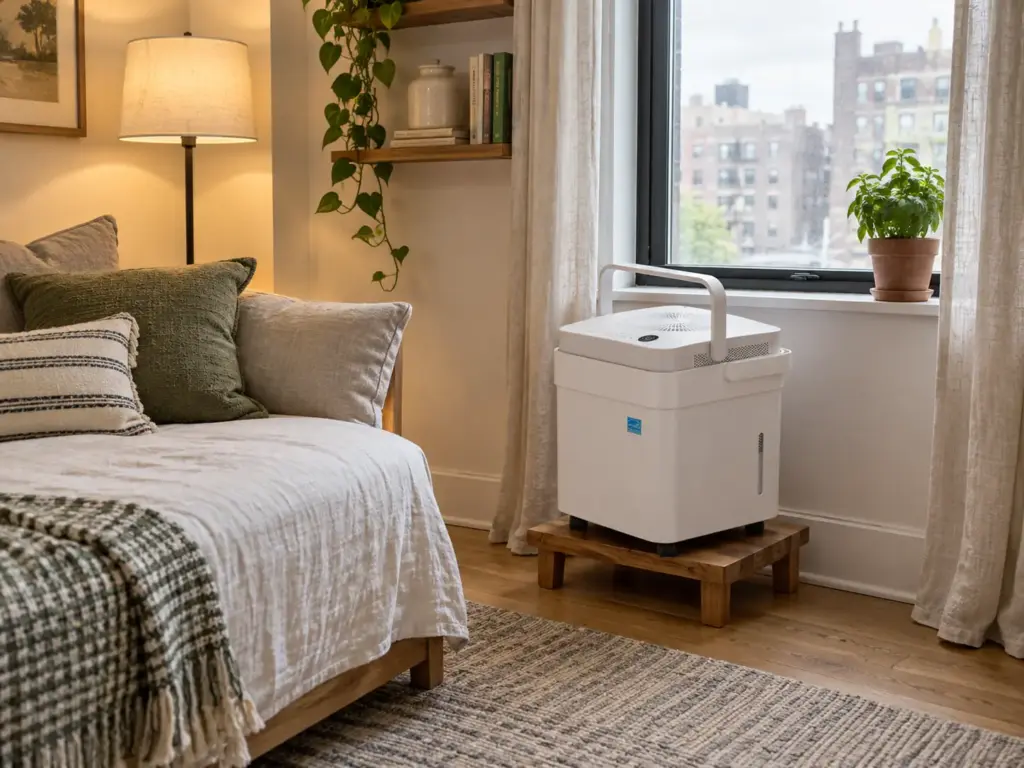
You turn the dial to 50, check the little meter on the shelf an hour later, and it reads 58, while the basement window is still beaded with water on the room side. The number on the unit and the number in the room are two different things, and the gap between them is where most of the confusion about what humidity should I set my dehumidifier to lives. The dial marks the point where the machine switches off; it does not promise a level the room will hold. Set it to 50% relative humidity, confirm with a meter the unit does not own, and the rest of this article covers what to check when the two numbers disagree.
Quick Answer
Set the dial to 50% relative humidity: the top of the EPA’s ideal 30 to 50% band and well under its 60% ceiling. Go lower only if the glass still sweats or the room smells musty after a day. The dial is where the unit stops, not what the room holds, so check with a separate meter.
The Setting to Start With, and Why Not Lower
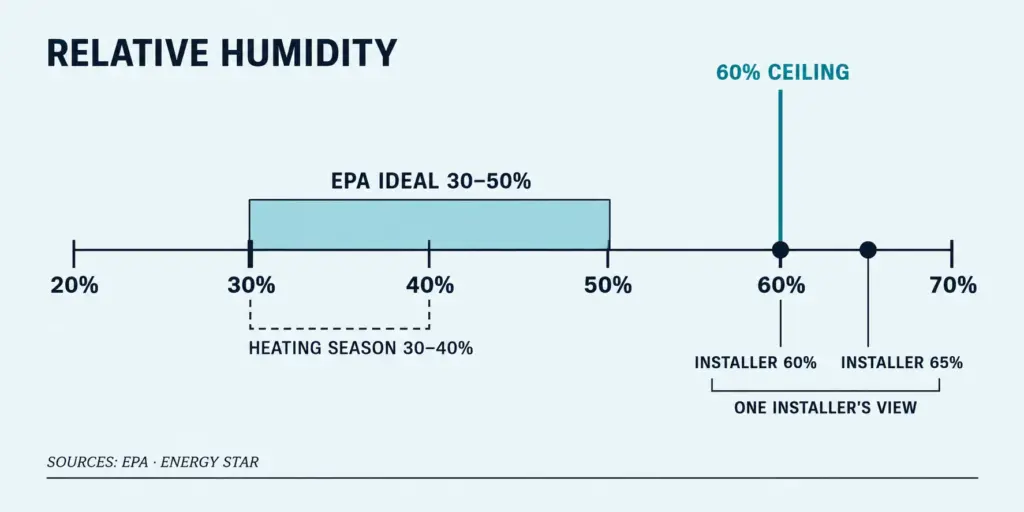
Search for this setting and the web hands back five different numbers: 30 to 50%, 40 to 50%, 45 to 55%, a flat 50, and an installer’s 60 to 65. They are not all answering the same question. The public standards settle which number is the ceiling and which one is the target.
Why 50% and Not the Numbers a Dial Can Go Down To
The EPA says it in the EPA’s brief guide to mold, moisture and your home: “Keep indoor humidity low. If possible, keep indoor humidity below 60 percent (ideally between 30 and 50 percent) relative humidity.” ENERGY STAR’s dehumidifier guidance lands on the same band, calling 30 to 50% the optimum for a building and noting that mold becomes more likely above it. The two differ in wording only, the EPA drawing its line at 60 and ENERGY STAR ending the optimum at 50, which makes 50 to 60% a zone to watch rather than a failure.
So 50 is the top of the target humidity band, not a floor, and the full humidity band by room goes room by room.
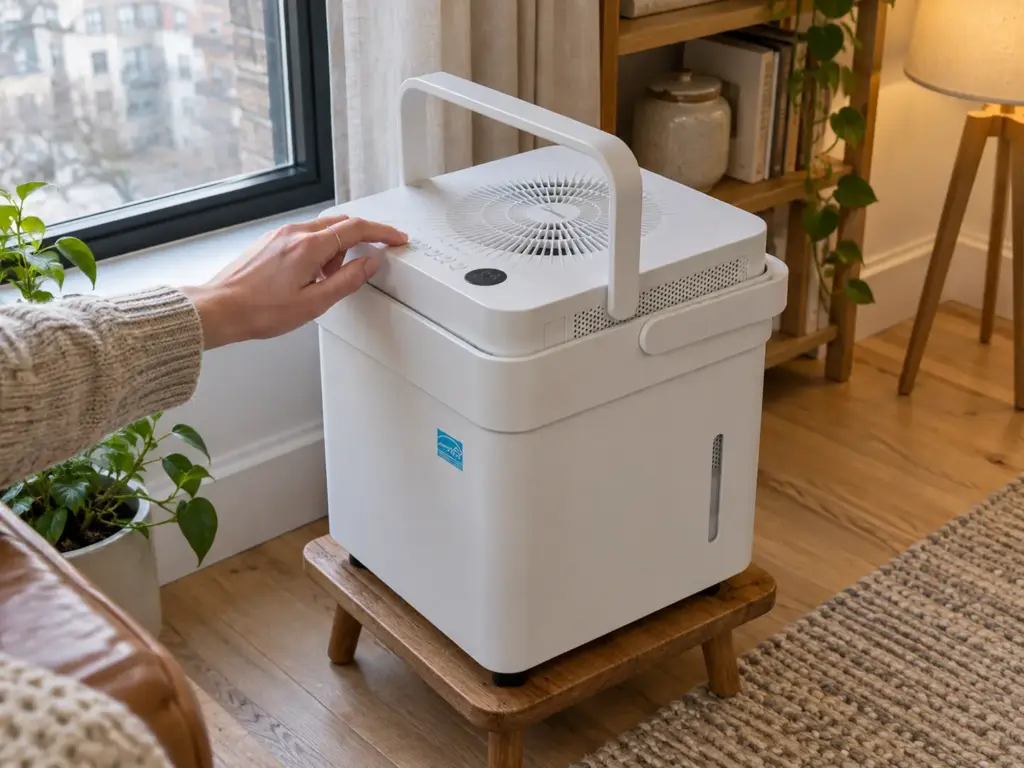
The dial on most units goes much lower, into the 30s, and the pull is to set it extra low so the room ends up as dry as it can be. It does not work that way. A unit set far below the band does not make the room drier in any way a reading will show; it runs longer, the bucket fills faster, and the electricity goes to a number that changes nothing.
A common question is whether to keep the unit running once a basement reading drops into the target range. That is a unit doing its job: 51% is a hair above the top of the ideal band and well under the ceiling.
The number also moves with the weather. In cold climates during the heating season, ENERGY STAR gives 30 to 40% as the range that prevents window condensation, and how the target drops as the outdoor temperature falls lays out the steps. So 50 is the starting point for a warm, damp basement, and a cold January may ask for a lower one.
What a 60% or 65% Setting Is Really For
One installer’s short video on the basement question sets the target higher: 65% for an unfinished basement or an encapsulated crawl space, 60% for a finished one, and nothing lower, since a unit programmed to 55, 50 or 45 only wastes electricity and keeps the machine running. His reason for the finished room is specific. Between the drywall and the foundation wall sits a pocket of trapped air that cannot circulate, so it dries slowly, and holding the main room a little drier helps pull the moisture out of it.
Set against the standard, those numbers read differently. 60% sits on the EPA’s ceiling and 65% is over it, so they are mold-stopping settings for a space nobody lives in, not comfort numbers.
The waste point is fair for a dial parked at 40, but it is not an argument against 50, which is the top of the ideal band and nowhere near extra dry. And the pocket of air behind the drywall points the other way for a finished room: if that air dries slowly, margin below 60 is the reason to hold 50, not to climb. Keep 50 as the target and treat 60 as the line the reading must not cross.
The Too-Dry Side Below 30%
The band has a floor too. Below about 30%, a room tips toward too dry, and a dehumidifier left to chase a low dial will take it there once the weather turns cold and the moisture source is shut. What happens when a room goes too dry has that side in full. The reason to stop at 50 is simple: the unit has no way to know it has done enough except the number you gave it.
Check the Window, the Glass and the Leak Before You Touch the Dial
Setting 50 is the easy part, and a number does nothing if the room keeps refilling. So the order matters: find the leak first, read the glass second, and touch the dial third.

The Open Window Upstairs
A basement unit running while the upstairs windows stand open is working against the whole outdoors. A unit that never reaches its setting is often dehumidifying the outdoors, pulling moisture from air that leaks in through openings. Damp air arrives as fast as the compressor pulls it out, the room never gets near the dial, and the unit runs all day. Free ways to lower humidity before a dehumidifier does the work starts with exactly this kind of opening.
Sweat on the Glass Tells You Which Way You Are Off
The glass is the cheapest direction check there is. Moisture on the room side of the pane means the room’s air is wetter than the cold surface can tolerate, and the wipe test for window condensation shows how to read it. Heating-season air is where it bites first, which is why the 30 to 40% range exists. In a new build with sweat on the inside of the windows, the usual answer is the ventilation unit and its setting, not the dial alone.
A pane that stays wet on a mild day after the dial has been lowered is the clearest sign that the moisture source sits outside the unit. Lowering it a third time will not change that.
Seal the Gap Before You Change the Number
Sealing the openings is the fix: seal the basement windows, fit sweeps on the floor-level doors, and add weather-stripping around the doors that lead outside. Where basement moisture comes from is the longer map of the source. Then change one thing at a time: close the opening, leave the dial where it is for a day, read the room again, and lower the dial a single step only if the glass still sweats. If the reading drops under 30%, you have gone one step too far.
Wipe one pane dry in the evening and leave the dial alone. If that same pane is wet on the room side the next morning, the room is above what the glass can take, and the answer is a source or a lower winter target, not a bigger drop on the dial.
The Dial Is Where the Unit Stops, Not What the Room Holds
Setting 50 does not promise 50. The dial controls a switch, and the room only sits near the number while the unit cycles around it.
A Humidistat Cycles the Unit On and Off
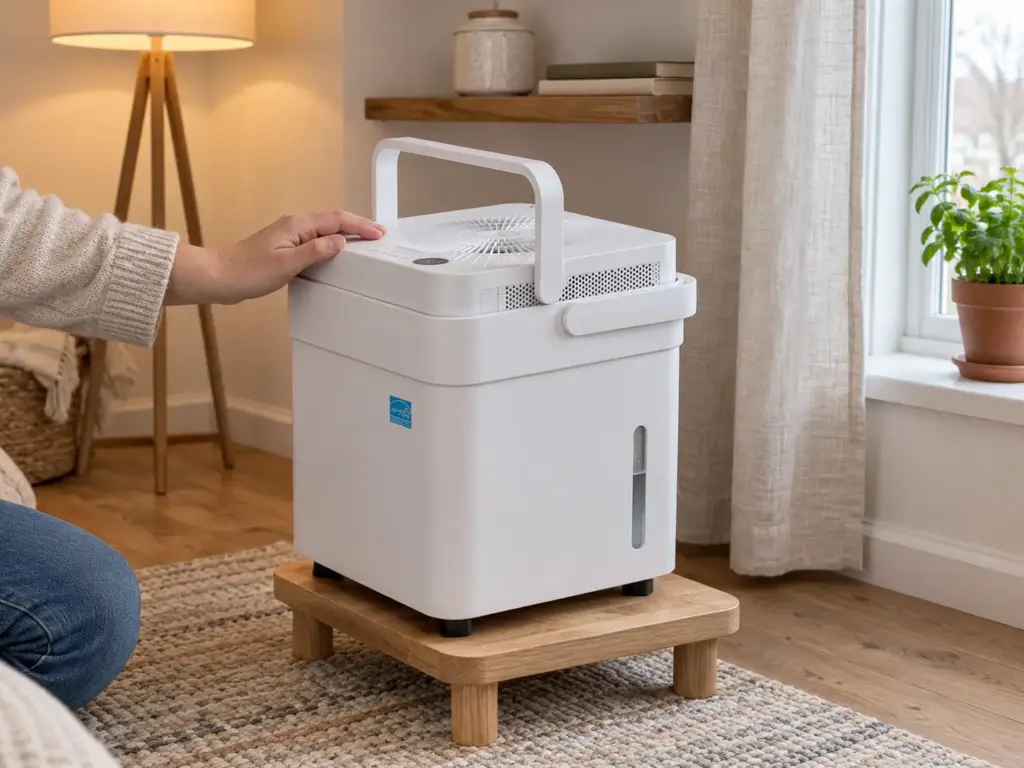
Every ENERGY STAR dehumidifier carries a built-in humidistat that lets you set the humidity and cycles the unit on and off to hold it. That is the whole mechanism: the compressor runs until the unit’s own sensor reads the set number, stops, and starts again when the air drifts back up. The unit most readers own or are weighing is the Midea Cube 50 pint dehumidifier, the no-pump version, rated for 4,500 square feet and ENERGY STAR certified, so it follows exactly this on and off pattern around whatever number you give it.
The size claim is the maker’s, though, and a review summary of the pump version of the same Cube 50 line calls the area coverage exaggerated, with realistic coverage nearer 1,500 square feet (the size the Midea Cube 20 Pint is rated for) and failures reported after about a year of use. That is a different variant from the no-pump one, so read it as a reason to check the real size of your room and the unit’s age, not as a verdict on this exact model.
If the dehumidifier is still a purchase in front of you, what to look for in a dehumidifier before you buy covers the specs that matter before the dial does.
Five Points of Play in Either Direction
The unit’s own sensor is built to about plus or minus 5% relative humidity on purpose, according to one dehumidifier maker’s blog, so that the machine does not switch on and off every few minutes. A smart-home vendor’s glossary puts mechanical humidistats at about the same plus or minus 5 out of the box, worse as dust and age pile up.
In practice a unit set to 45 may not start until the room is at 50 or higher. The dial is not a point. It is a range with a width.
A display can sit on its setting while a separate meter beside it shows a lower reading, and that gap is the signal to check. The display was the unit’s sensor talking to itself.
Treat a 5-point swing as normal before blaming the unit. If you set 50 and the room reads anywhere from 48 to 55 over a day, that is the humidistat doing what it was built to do; a steady 58 or higher with the bucket filling is the reading worth acting on.
A Dial With Low, Medium and High
Older units and plenty of simple ones have no percent on the dial at all, just low, medium and high or a numbered knob. ENERGY STAR says a humidistat that does not show the humidity needs a separate hygrometer beside it, and that is the plain flaw of this design: the position tells you what the knob is doing, not what the room is. The manual maps the positions to rough percentages. Start in the middle, read the room with a meter after a day, and move one position at a time, writing the reading next to each position you tried.
Read the Room With a Meter the Unit Doesn’t Own
You now have two numbers, the dial and the band, and you need a third that does not come from the unit’s own sensor. One meter, placed well and checked against a second one, does that.
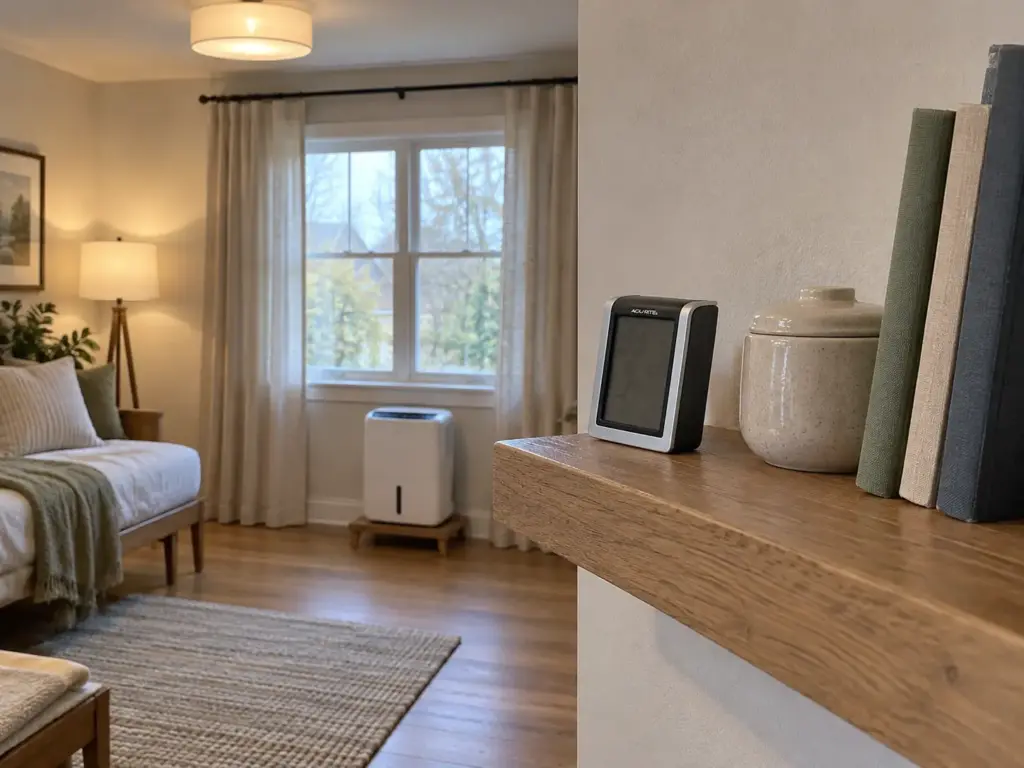
Where the Meter Goes
On the dehumidifier maker’s model its blog names, the air just above the unit runs about 18°F (10°C) warmer and very dry, so a meter perched on top or sitting in the outflow reads wrong. ENERGY STAR advises hanging a separate hygrometer near the dehumidifier. Both are right if you read them together: near enough to be the same room’s air, never in the stream the machine blows out.
The AcuRite 00613 indoor thermometer and hygrometer is the budget way to do this, with a 3-inch display and a stated accuracy of about plus or minus 2 to 3% in one consumer guide (a guide’s figure, not a manufacturer’s sheet). The same guide notes owners reporting minor drift over several months, calibration needs and variation between units of the same model, so buy it as a reference to be checked, not as the truth.
Two Meters Side by Side for a Day
The simple method is to start two meters at the same time, leave them to settle in the same spot, and compare. If they agree within a couple of points, you can believe either. If they are 8 or 10 apart, one is lying, and the next test finds out which.
Move one meter to another part of the room and watch how fast it reacts; a meter that never moves when the room changes is the first one to doubt. How to measure indoor humidity with one meter goes through the placement.
After the first comparison, swap the two meters’ places and wait an hour. If the gap follows the meter, the meter is off. If the gap stays in the same spot, the room really does read differently there, and the unit’s corner is not the room’s middle.
What a Meter Cannot Tell You
A cheap sensor can be off by a few points, and nothing in its display says so. It also reads one spot of air, not the wall behind the drywall or the corner under the stairs.
An old meter can drift far from a new one, so check the meter itself before trusting either reading. If yours has hung on the wall for years, ask what it has been telling you. A cheap humidity checker and how to trust it covers the options.
Why the Right Setting Slips After the First Few Weeks
Week one gets the dial right. The room keeps changing after that, and so does the meter you are checking it with.
The Room Drifts, So the Dial Drifts
Raising a setpoint that is too low can stop a unit from running nonstop, because the room reaches the target and the unit rests. The unit was never the problem; the room’s starting moisture had been the load, and a new level was reachable once that wore off. Seasons repeat the same story at a slower pace: the dial that is right in a damp August is not automatically right when the heating season starts. Read the room again after a few days, and again when the weather turns.
The Meter Drifts Too
A humidity meter drifts about 2 to 5% a year, according to the same maker’s blog, and the maker expects a yearly calibration or a replacement every few years. Dust and age do the same to a mechanical humidistat. That is the month-two gap: a meter that was right in week one is quietly wrong by the time you make the second adjustment, and the only way to see it is to put it beside another one again.
Log It for a Few Weeks
A Bluetooth meter such as the Govee H5075 logs its readings to a phone, which turns a once-off check into a line across weeks. That line shows the drift in the room that a single look misses, and it shows how the reading behaves after you change the dial. Like any meter of this kind, it carries the yearly drift described above, so the log is only as good as the last time it was compared with a second meter. Where a humidity sensor belongs in a basement says where to put it.
Pick one calendar date per season to put the two meters side by side again, and write the gap on the back of the better one. A gap that grows from 2 points to 6 is the meter’s drift in your hands, and it tells you when the older meter needs replacing.
When No Setting Works in a Cold Room, a Small Unit or a Wet Wall
Sometimes the dial is not the problem, and no number will fix it. Three cases cover most of those rooms: the cold room, the unit that is too small, and the building that is the source.
Below the Unit’s Own Temperature Limit
Every dehumidifier has a low end to the temperatures it works in, and below it the dial does nothing, whatever it says. The low end differs from model to model, and the number that counts is the one in your unit’s manual, so check it there before you blame the setting in a cold basement. Whether to run a basement unit at all in cold months is its own decision, and whether to run a basement dehumidifier in winter takes it up.
A Unit Too Small for the Space
A unit rated for a room much smaller than the one it sits in will run flat out and never reach the setting, so every lower number you try looks like a failure of the dial. Rated area is the maker’s figure, and as the review summary above suggests, real coverage can run well under it. If the unit never stops and the reading never gets there, the question changes from the setting to the pints, and how many pints a basement needs answers it.
When the Building Is the Source
Floors or walls that stay damp, a crawl space, or mold behind drywall are building questions, not settings. A dehumidifier holds moisture down in the air; it cannot stop water from coming through a wall. Find where the water enters before any number. If the glass is what keeps sweating after the leak work, which dehumidifier suits a room with sweating windows sorts units by room size.
Once the number is set and the room is sound, the next question is time: how many hours the setting will actually run tells you what to expect from the unit across a day.
Start at 50, Then Read the Room Tomorrow
Three things carry this article. Start the dial at 50%, the top of the ideal band and under the 60% ceiling, and do not chase a lower number the room cannot show you. Close the leak and read the glass before moving the dial, because a window that sweats on a mild day points to a source, not a setting. And trust a meter in the room over the unit’s own sensor, since the dial is where the machine stops and not what the air holds.
The check for later: a few days from now, and again when the weather turns, put the two meters side by side again, because the room’s moisture and the meter’s accuracy both wander more than the dial does.
Tomorrow, set the dial to 50 (the set point you will adjust from), put one meter mid-room away from the outflow, and leave everything alone for a day. If the reading sits at or under 50 and the glass is dry, you are finished. If it reads in the 50s and the glass still sweats, lower the dial one step and read again the next day, which is how you find the overshoot instead of guessing at it.
Frequently Asked Questions
01Is 70% humidity too high in a house?
Yes, 70% relative humidity is above the EPA’s 60% ceiling, so it calls for finding the moisture source and, if the room stays high, running a dehumidifier. The ideal band is 30 to 50%, and the humidity levels guide shows how that sits room by room.
02Is it bad to run a dehumidifier around the clock?
A unit with a humidistat cycles on and off to hold its setting, so it does not run flat out all day. One that never stops means the setting is below what the room can reach or the source is still open. How long to run a basement dehumidifier has the hours.
03What should a dehumidifier be set at in summer?
Set it at 50% relative humidity, which sits under the EPA’s 60% ceiling, because summer outdoor humidity raises how hard the unit works rather than the number you aim for. Summer indoor humidity covers the season.
04Is 50% humidity too high for a basement?
No, 50% is the top of the EPA’s ideal 30 to 50% band, so it is a sound basement setting. An installer’s 60 to 65% is a mold-stopping ceiling for unused space, not a comfort number. The basement winter target goes lower.
05What number should I set my dehumidifier at in the basement?
Set it at 50%, then read the room with a separate meter and lower the dial one step only if the glass still sweats a day later. How to keep basement humidity low puts the dehumidifier last.